Detect Slowloris Attacks: Log Patterns and Hidden Indicators
Slowloris attacks hide in plain sight by keeping connections open just long enough to exhaust server resources without triggering standard bandwidth alerts.

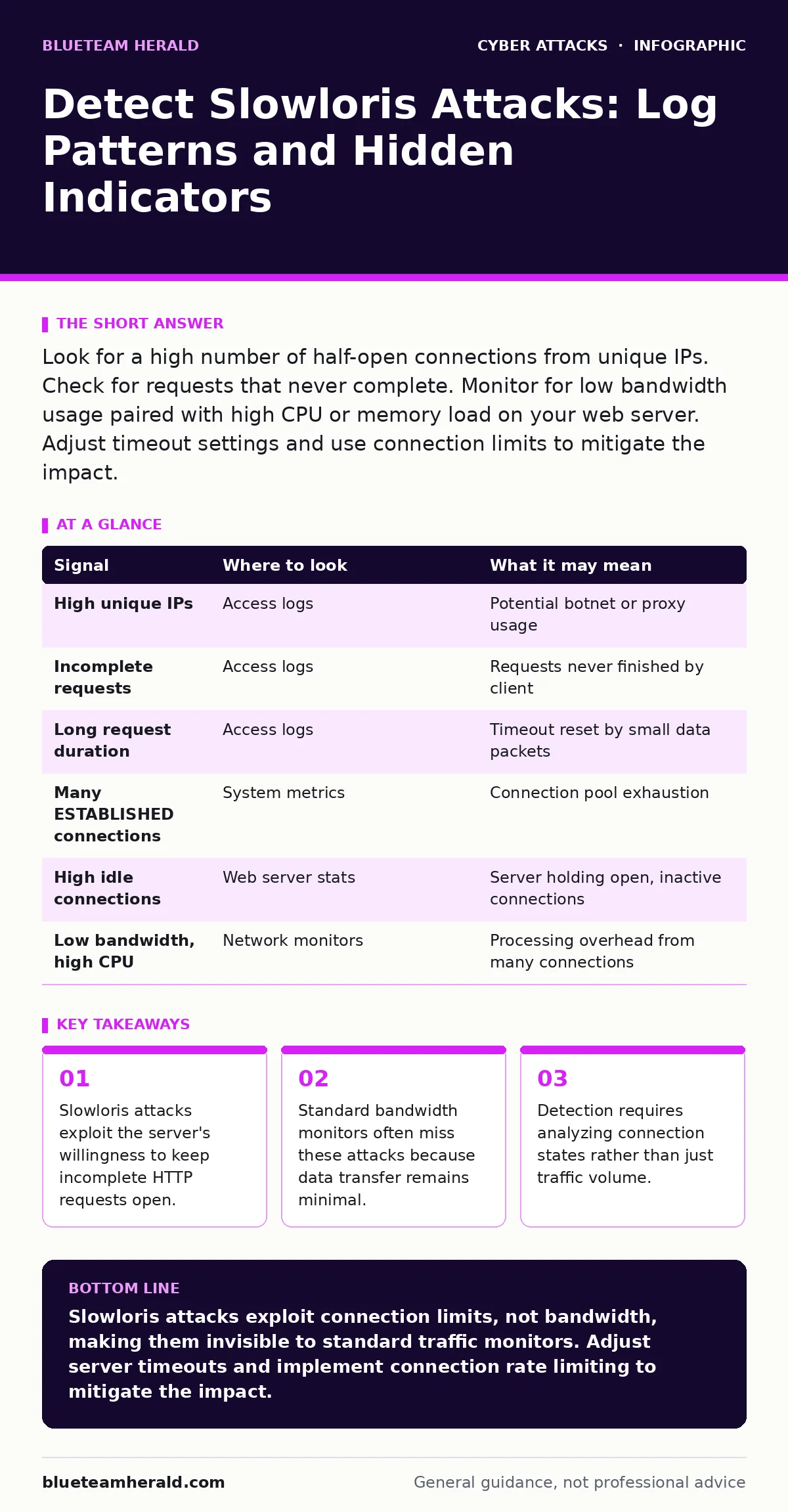
Look for a high number of half-open connections from unique IPs. Check for requests that never complete. Monitor for low bandwidth usage paired with high CPU or memory load on your web server. Adjust timeout settings and use connection limits to mitigate the impact.
The Mechanics of Connection Exhaustion
Slowloris is a denial-of-service technique that targets web servers by opening multiple connections and keeping them alive as long as possible. Unlike volumetric attacks that flood a network with data, this method uses very little bandwidth. The attacker sends the beginning of an HTTP request but never finishes it. The server waits for the rest of the request, holding the connection open. This consumes a slot in the server's connection pool. When all slots are filled, legitimate users cannot connect. The server appears to be working normally, but it is effectively paralyzed.
This attack relies on the server's configuration. Most web servers have a limit on concurrent connections. They also have a timeout period for incomplete requests. If the attacker sends small amounts of data periodically, the timeout resets. This keeps the connection alive indefinitely. The cost to the attacker is low. They only need to send a few bytes every few seconds. The cost to the victim is high. The server wastes resources waiting for data that will never arrive.
Identifying Anomalies in Access Logs
Access logs are your first line of defense. You must look beyond simple request counts. A Slowloris attack often looks like a surge in unique IP addresses. Each attacker might use a proxy or a botnet to generate many unique sources. However, the key indicator is the incomplete request. Look for entries that show a start but no completion. In many log formats, this appears as a request that hangs. You might see a high volume of GET or POST requests that do not return a 200 OK status code. Instead, they may end with no status or a timeout error.
The timing of these requests is also telling. Legitimate users browse pages quickly. They load resources and move on. An attacker sends data at a steady, slow pace. You will see requests that span minutes or hours. This is abnormal for standard web traffic. If you see many connections from different IPs that all hang for the same duration, you are likely under attack. The logs will not show high data transfer. They will show high connection counts. This discrepancy is a major red flag.
Monitoring System Resources and States
System-level metrics reveal what logs might miss. You need to monitor the number of established connections. On a Linux system, the netstat command can show connection states. Look for a large number of connections in the ESTABLISHED state. These are connections that are open but not transferring data. If you see thousands of these connections, your server is likely being held hostage. The CPU usage might be low. The memory usage might be stable. But the connection table is full.
Web server metrics are even more specific. Apache and Nginx have modules that report active connections. Check for a high number of idle connections. These are connections that are open but not processing requests. If the number of idle connections approaches the server's limit, you have a problem. The server will start rejecting new connections. Legitimate users will see errors. They will not know why. The server is not down. It is just full.
| Signal | Where to look | What it may mean |
|---|---|---|
| High unique IPs | Access logs | Potential botnet or proxy usage |
| Incomplete requests | Access logs | Requests never finished by client |
| Long request duration | Access logs | Timeout reset by small data packets |
| Many ESTABLISHED connections | System metrics | Connection pool exhaustion |
| High idle connections | Web server stats | Server holding open, inactive connections |
| Low bandwidth, high CPU | Network monitors | Processing overhead from many connections |
The Role of Reverse Proxies
Reverse proxies can help detect and mitigate these attacks. They sit between the client and the web server. They can inspect incoming requests before they reach the server. If a proxy sees an incomplete request, it can drop it. This prevents the connection from reaching the web server. The proxy handles the connection overhead. The web server remains free to serve legitimate users. This is a common defense strategy. However, it requires proper configuration. The proxy must have a shorter timeout than the server. It must also limit the number of connections per IP.
Without a reverse proxy, the web server bears the full load. It must allocate memory and processing power for each hanging connection. This is inefficient. A proxy can filter out malicious traffic early. It acts as a gatekeeper. You must ensure the proxy is not a single point of failure. If the proxy is overwhelmed, it too can be taken down. Redundancy is key. Multiple proxies can share the load. This adds complexity but improves resilience.
Common Blind Spots in Detection
Many teams miss Slowloris attacks because they look for the wrong signs. They monitor bandwidth. They see no spike in data transfer. They assume the system is healthy. This is a critical blind spot. The attack does not use bandwidth. It uses connections. Another blind spot is the use of proxies. Attackers often use open proxies to hide their origin. This makes IP-based blocking ineffective. You cannot block a single IP. You must block the behavior.
Another oversight is the configuration of timeouts. If the server timeout is very short, the attack may fail. But if it is long, the attack succeeds. Many servers use default settings. These settings are often too generous for high-security environments. You must review and adjust these settings. Shorter timeouts reduce the window for an attack. They also reduce the impact of legitimate slow users. This is a trade-off. You must balance security with usability.
Mitigation Strategies and Tools
Mitigation involves both detection and prevention. You can use tools that inspect HTTP headers. These tools can detect incomplete requests. They can drop them before they reach the server. Connection limiting is another strategy. You can limit the number of connections per IP. This prevents a single source from exhausting resources. Rate limiting is also effective. You can limit the number of requests per second. This slows down the attacker.
Server configuration changes are also necessary. Reduce the timeout for incomplete requests. This forces the server to close hanging connections faster. Increase the maximum number of connections if possible. This gives the server more room to handle attacks. However, this also increases resource usage. You must monitor memory and CPU. Ensure the server can handle the load. These measures do not stop the attack. They reduce its impact. They give you time to respond.
Integrating with Broader Security
Detecting Slowloris attacks is part of a larger security posture. You must integrate these checks with other defenses. For example, bot protection can help identify automated traffic. Bots are often used in Slowloris attacks. If you have bot protection in place, it can flag these connections. Similarly, phishing-resistant authentication can protect your admin interfaces. If an attacker gains access to your server, they can change configurations. Strong authentication prevents this.
You should also consider web shells. If an attacker compromises your server, they might install a web shell. This gives them persistent access. They can then launch attacks from within your network. This is harder to detect. Regular scanning for web shells is necessary. It ensures that your server has not been compromised. This is a defensive measure. It does not stop the attack. But it prevents further damage.
Imagine your server is under attack. You see high connection counts. You check the logs. You see incomplete requests. You adjust your timeout settings. You limit connections per IP. The attack slows down. Legitimate users can connect again. You have mitigated the impact. You have not stopped the attacker. They may try again. You must remain vigilant. You must monitor for new patterns. Security is an ongoing process.
Key takeaways
- Slowloris attacks exploit the server's willingness to keep incomplete HTTP requests open.
- Standard bandwidth monitors often miss these attacks because data transfer remains minimal.
- Detection requires analyzing connection states rather than just traffic volume.
Slowloris attacks exploit connection limits, not bandwidth, making them invisible to standard traffic monitors. Adjust server timeouts and implement connection rate limiting to mitigate the impact.
Frequently asked questions
Can a firewall stop a Slowloris attack?
Traditional firewalls may not stop it because the traffic looks legitimate. You need application-layer filtering or a web application firewall to detect incomplete requests.
How do I distinguish between a slow user and an attack?
Look for patterns. A single slow user is normal. Thousands of slow users from different IPs is not. Also, check for periodic data packets that reset timeouts.
Does HTTPS protect against Slowloris?
No. The attack targets the connection state, not the encryption. HTTPS does not prevent incomplete requests.
What is the best timeout setting?
There is no single best setting. It depends on your users. Start with a shorter timeout and increase it if you see legitimate timeouts. Balance security with usability.
How this guide was produced: written by the BlueTeam Herald editorial team with AI assistance, checked against the public references listed below, and reviewed when the facts change. See our editorial policy or report an error.