Windows Privilege Escalation Myths That Compromise Your Defense Strategy
Privilege escalation relies on broken trust boundaries and misconfigurations, not just unpatched software, making architectural review more valuable than simple patching alone.

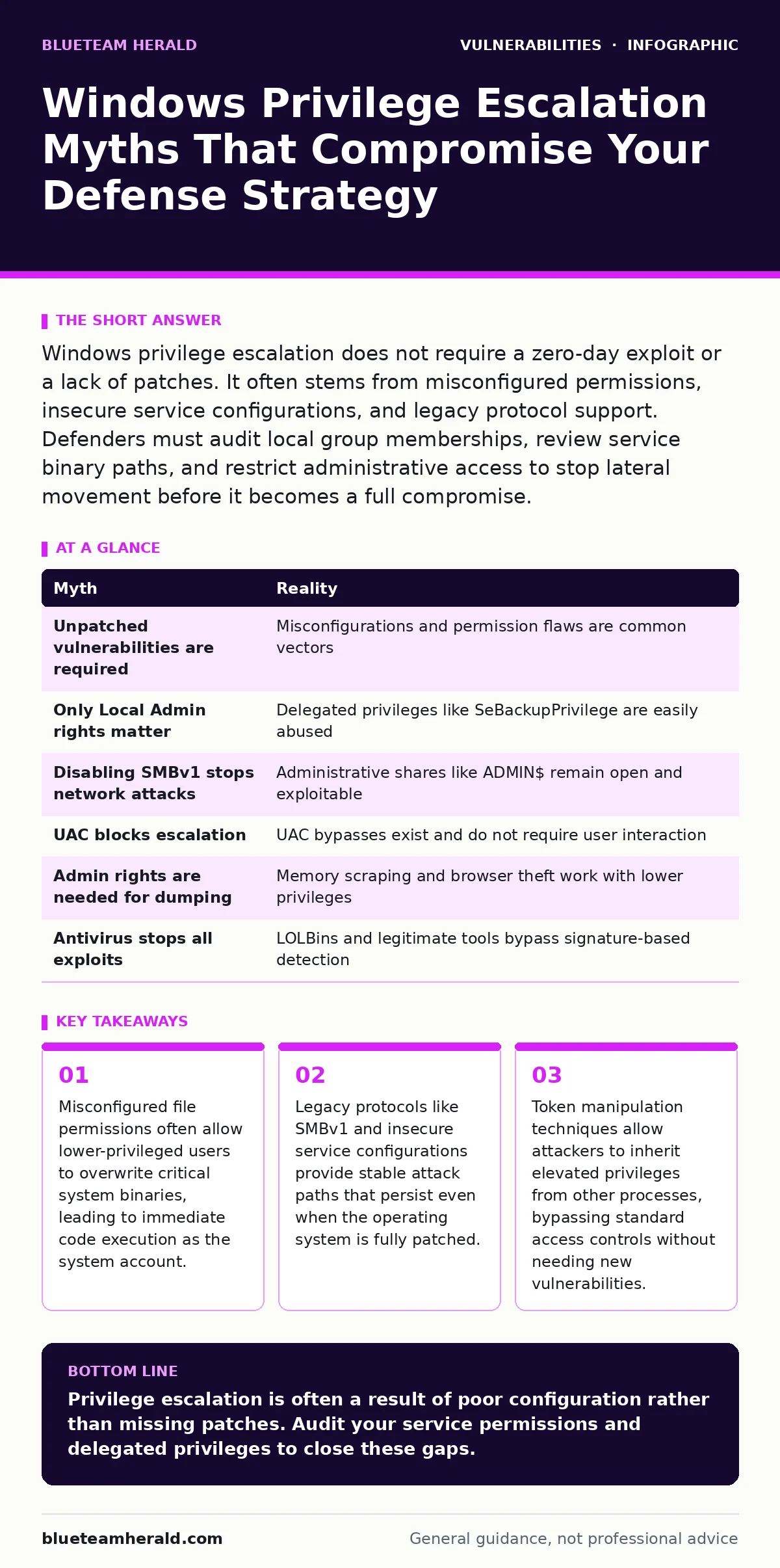
Windows privilege escalation does not require a zero-day exploit or a lack of patches. It often stems from misconfigured permissions, insecure service configurations, and legacy protocol support. Defenders must audit local group memberships, review service binary paths, and restrict administrative access to stop lateral movement before it becomes a full compromise.
Myth: Privilege Escalation Requires an Unpatched Vulnerability
Reality: A significant portion of privilege escalation attempts succeed against fully patched systems by exploiting misconfigurations rather than software bugs. Attackers often look for services running with elevated privileges that have weak file permissions on their binary paths. If a standard user can write to the directory containing a service executable, they can replace the legitimate binary with a malicious one.
When the service restarts, the system executes the attacker’s code with the service’s high-level privileges. This mechanism relies on the operating system’s trust in the file path, not a flaw in the code itself. Defenders must audit the ownership and permissions of all service installation directories. Regular vulnerability scanning helps identify missing patches, but it does not detect these permission flaws. You must treat configuration drift as a primary vector for privilege escalation.
Myth: Local Administrator Rights Are the Only Target
Reality: Attackers frequently target accounts with specific delegated privileges that are far easier to abuse than full administrative rights. The "SeBackupPrivilege" allows a user to read any file on the system, including the SAM database that stores password hashes. The "SeImpersonatePrivilege" allows a process to impersonate other users, which attackers exploit using techniques like JuicyPotato or PrintSpoofer to steal high-privilege tokens.
These privileges are often granted to service accounts or domain users for legitimate operational tasks. An attacker does not need to be a local administrator to dump credentials or escalate further. They only need one of these specific rights. You should audit these privileges using standard security tools and remove them from accounts that do not strictly require them. This reduces the attack surface without breaking daily operations.
Myth: Disabling SMBv1 Eliminates Network-Based Escalation Risks
Reality: While disabling SMBv1 removes a major attack vector like EternalBlue, it does not stop all network-based privilege escalation. Attackers often use legitimate administrative shares like ADMIN$ or C$ to move tools and exfiltrate data. These shares are enabled by default on most Windows systems to support remote management. An attacker with network access and valid credentials can use these shares to upload malicious scripts or executables directly to the target machine.
They can then execute these files via scheduled tasks or service creation. Disabling these shares breaks many legitimate IT workflows, so it is rarely a viable default configuration. Instead, you must enforce strict network segmentation and monitor for unusual file access patterns on these administrative shares. See our guide on vulnerability scanning to understand how to detect these open shares during routine audits.
Myth: UAC Effectively Blocks Privilege Escalation Attempts
Reality: User Account Control (UAC) is designed to prompt users before allowing administrative actions, but it does not prevent an attacker who already has code execution on the system. Many privilege escalation techniques bypass UAC entirely by exploiting how Windows handles token creation. For example, an attacker can trigger a UAC bypass by manipulating registry keys that define trusted applications.
This tricks the system into running the attacker’s payload with elevated privileges without showing a prompt. UAC protects against accidental elevation by a confused user, not against a determined attacker who has already compromised the account. You cannot rely on UAC as a defense layer once an attacker has a foothold. Focus on limiting what a standard user can execute and monitor for unusual process creation events.
Myth: Credential Dumping Is Only Possible with Admin Rights
Reality: Attackers can extract credentials from memory without local administrator rights if they can access the process memory of a service running with higher privileges. Tools like Mimikatz require specific privileges to read the LSASS process, but variants exist that work with lower privileges by targeting other processes that have cached credentials. Additionally, attackers can harvest credentials from browser storage, email clients, or application configuration files.
These applications often store credentials in plaintext or with weak encryption. If an attacker has read access to the user’s profile, they can extract these secrets. This allows them to move laterally to other systems with higher privileges. You must enforce credential caching policies and use tools that encrypt stored credentials. Browser updates are critical here, as older versions often have known flaws in how they handle stored authentication tokens.
Myth: Antivirus Software Stops Privilege Escalation Exploits
Reality: Endpoint protection platforms focus on known malware signatures and suspicious behavior, but they often struggle with legitimate binaries abused for privilege escalation. Techniques like Living off the Land Binaries (LOLBins) use standard Windows tools like PowerShell, WMI, or Mshta to execute malicious code. These tools are signed by Microsoft and trusted by the system, so antivirus software rarely flags them.
An attacker can use PowerShell to download and execute a payload that exploits a local vulnerability. The antivirus sees a legitimate PowerShell process running a script, which is a common administrative task. Blocking these tools breaks IT operations, so defenders must monitor for unusual command-line arguments. See our guide on command injection to understand how attackers abuse these legitimate interfaces to execute arbitrary code.
| Myth | Reality |
|---|---|
| Unpatched vulnerabilities are required | Misconfigurations and permission flaws are common vectors |
| Only Local Admin rights matter | Delegated privileges like SeBackupPrivilege are easily abused |
| Disabling SMBv1 stops network attacks | Administrative shares like ADMIN$ remain open and exploitable |
| UAC blocks escalation | UAC bypasses exist and do not require user interaction |
| Admin rights are needed for dumping | Memory scraping and browser theft work with lower privileges |
| Antivirus stops all exploits | LOLBins and legitimate tools bypass signature-based detection |
Key takeaways
- Misconfigured file permissions often allow lower-privileged users to overwrite critical system binaries, leading to immediate code execution as the system account.
- Legacy protocols like SMBv1 and insecure service configurations provide stable attack paths that persist even when the operating system is fully patched.
- Token manipulation techniques allow attackers to inherit elevated privileges from other processes, bypassing standard access controls without needing new vulnerabilities.
Privilege escalation is often a result of poor configuration rather than missing patches. Audit your service permissions and delegated privileges to close these gaps.
Frequently asked questions
How do I check for misconfigured service permissions?
Use the Windows Command Prompt to run "wmic service get name,pathname,displayname,startmode" and review the paths for write access by standard users.
What is the difference between privilege escalation and lateral movement?
Privilege escalation increases rights on the current system, while lateral movement moves to another system using stolen credentials or exploits.
Can I prevent LOLBin abuse without breaking IT tools?
Implement Application Control policies that restrict which scripts and binaries can execute, rather than blocking the tools entirely.
How often should I audit local administrator groups?
Perform audits quarterly or after any significant personnel change to ensure only necessary accounts retain elevated rights.
How this guide was produced: written by the BlueTeam Herald editorial team with AI assistance, checked against the public references listed below, and reviewed when the facts change. See our editorial policy or report an error.