Vulnerability Scanning: How Automated Checks Find Security Gaps
Vulnerability scanning identifies known weaknesses before attackers exploit them, turning passive risk into actionable data for your defense strategy.

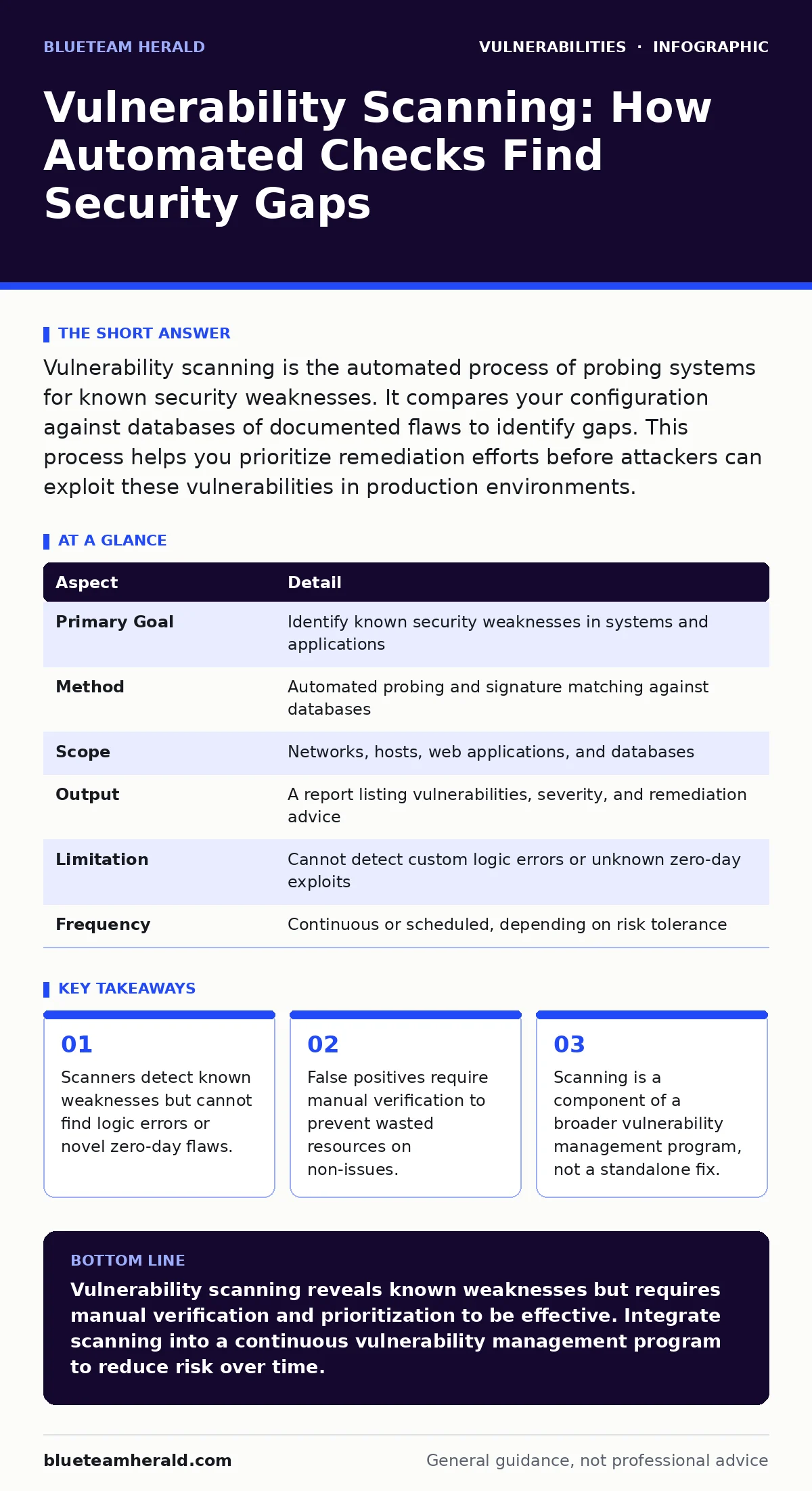
Vulnerability scanning is the automated process of probing systems for known security weaknesses. It compares your configuration against databases of documented flaws to identify gaps. This process helps you prioritize remediation efforts before attackers can exploit these vulnerabilities in production environments.
The Digital Inspector Analogy
Imagine a building inspector walking through a house. They do not break the walls or test every wire individually. Instead, they check for known safety violations, such as exposed outlets or missing smoke detectors. They compare what they see against a code book of accepted standards.
Vulnerability scanning operates on this same principle for your infrastructure. It probes your network and applications for signs of known weaknesses. It does not attempt to hack your system in a creative way. It looks for specific patterns that indicate a security gap exists.
This approach allows you to see problems before an attacker does. You gain visibility into the current state of your security posture. The scanner acts as a continuous inspector, highlighting areas that require attention.
Defining the Mechanism
Vulnerability scanning is the automated assessment of information systems to identify security weaknesses. These weaknesses are often called vulnerabilities. A vulnerability is a flaw in software, hardware, or configuration that an attacker could exploit to gain unauthorized access or disrupt service.
The scanner works by sending requests to your systems and analyzing the responses. It looks for banners, error messages, and behavior that matches known vulnerability signatures. If a web server returns a version number associated with a known bug, the scanner flags it.
This process is distinct from penetration testing. Penetration testing involves human experts actively trying to break in. Scanning is a broader, automated check for known issues. It provides a baseline understanding of risk across your entire environment.
| Aspect | Detail |
|---|---|
| Primary Goal | Identify known security weaknesses in systems and applications |
| Method | Automated probing and signature matching against databases |
| Scope | Networks, hosts, web applications, and databases |
| Output | A report listing vulnerabilities, severity, and remediation advice |
| Limitation | Cannot detect custom logic errors or unknown zero-day exploits |
| Frequency | Continuous or scheduled, depending on risk tolerance |
The Problem It Solves
Unpatched software remains one of the most common entry points for attackers. Developers release fixes for security flaws, but organizations often delay applying them. This delay creates a window of opportunity for exploitation.
Scanning closes this window by highlighting which systems are running vulnerable versions. It tells you exactly what needs updating. Without this visibility, you might assume your systems are secure when they are not.
The problem is not just the presence of a flaw, but the lack of prioritization. You cannot fix everything at once. Scanning helps you decide which issues pose the greatest risk. It provides context for your remediation efforts, allowing you to focus on the most dangerous gaps first.
Suppose your organization runs a legacy application that no longer receives updates. Scanning reveals that this application has multiple high-severity vulnerabilities. It also shows that a newer server is fully patched. You can now prioritize finding a replacement for the legacy app rather than wasting time on the secure server.
Core Components of a Scan
A vulnerability scan consists of three main parts: the scanner, the signature database, and the target. The scanner is the software agent that performs the checks. It can be an on-premise appliance or a cloud-based service.
The signature database is the knowledge base. It contains descriptions of known vulnerabilities, including how to detect them and how to fix them. This database must be updated regularly to include newly discovered flaws.
The target is the system being assessed. This could be a single server, a web application, or an entire network segment. You define the scope to ensure the scanner checks the right assets.
Scanners use different techniques depending on the target. Network scanners look at open ports and services. Host-based scanners check local configurations and installed software. Web application scanners send HTTP requests to find flaws like command injection or cross-site WebSocket hijacking.
Integration with Defense Layers
Scanning does not exist in isolation. It fits into a larger vulnerability management program. This program includes identification, assessment, remediation, and verification. Scanning is the identification step.
You integrate scan results with other security tools. For example, you might feed scan data into a SIEM (Security Information and Event Management) system. This allows you to correlate vulnerability data with real-time threat alerts.
Scanning also informs your patching strategy. When Patch Tuesday arrives, you can use scan data to see which systems need the new updates. You can prioritize systems that are exposed to the internet or contain sensitive data.
This integration ensures that scanning leads to action. Finding a vulnerability is useless if you do not fix it. By connecting scanning to your operational workflows, you turn data into security improvement.
See also: How to Implement Browser Updates: A Step-by-Step Guide · Patch Tuesday Meaning: How Monthly Updates Shape Security Operations
Common Misconceptions and Errors
Many organizations believe that running a scan once is enough. This is a dangerous assumption. New vulnerabilities are discovered daily. Your environment changes constantly. Scanning must be an ongoing process.
Another mistake is trusting the scanner blindly. Scanners produce false positives. These are alerts that claim a vulnerability exists when it does not. This happens because the scanner misinterprets a response or lacks context. You must verify critical findings manually.
People also confuse scanning with testing. A scanner tells you if a vulnerability is present. It does not tell you if it is exploitable in your specific environment. Some vulnerabilities require specific conditions to be exploited. Understanding these conditions is part of risk assessment.
Prioritization and Context
Not all vulnerabilities are equal. Some are easy to exploit and cause severe damage. Others are theoretical and hard to trigger. You need context to prioritize effectively.
Use frameworks like CVSS (Common Vulnerability Scoring System) to understand severity. The attack vectors in CVSS describe how an attacker might reach the vulnerability. A vulnerability that is remotely exploitable without authentication is higher risk than one that requires physical access.
Consider the asset's value. A vulnerability on a public web server is more urgent than one on an isolated internal database. Factor in the likelihood of exploitation and the impact of a breach.
This prioritization prevents alert fatigue. If you try to fix every finding, you will burn out. Focus on the risks that matter most to your business. This approach makes your security efforts more efficient and effective.
Beyond the Scanner
Scanning is a powerful tool, but it has limits. It cannot detect security misconfigurations that do not have a known signature. It cannot find custom code flaws that developers introduce.
You must complement scanning with other practices. Code reviews catch logic errors before they reach production. Threat modeling helps you understand potential attack paths. Penetration testing validates whether vulnerabilities are actually exploitable.
Stay informed about new threats. When a major vulnerability is disclosed, perform an out-of-band scan for that specific issue. Do not wait for the next scheduled scan.
Regular browser updates and plugin management also reduce risk. Many vulnerabilities exist in client-side software. Scanning servers will not find flaws in a user's outdated browser. Educate users on keeping their software current.
Key takeaways
- Scanners detect known weaknesses but cannot find logic errors or novel zero-day flaws.
- False positives require manual verification to prevent wasted resources on non-issues.
- Scanning is a component of a broader vulnerability management program, not a standalone fix.
Vulnerability scanning reveals known weaknesses but requires manual verification and prioritization to be effective. Integrate scanning into a continuous vulnerability management program to reduce risk over time.
Frequently asked questions
How often should I run vulnerability scans?
Run scans at least weekly for internet-facing systems. Internal systems can be scanned monthly, but increase frequency after significant changes or new vulnerability disclosures.
Can vulnerability scanners cause system instability?
Yes, intensive scans can consume resources and potentially crash unstable systems. Always test scanners in a staging environment and schedule scans during maintenance windows.
What is the difference between authenticated and unauthenticated scanning?
Unauthenticated scanning checks from the outside, like an attacker. Authenticated scanning logs in to check internal configurations, providing deeper and more accurate results.
Do vulnerability scanners detect all types of security issues?
No, they primarily detect known technical vulnerabilities. They miss logic flaws, business process errors, and social engineering risks, which require other security measures.
How this guide was produced: written by the BlueTeam Herald editorial team with AI assistance, checked against the public references listed below, and reviewed when the facts change. See our editorial policy or report an error.