Detecting Security Misconfigurations: Signals, Tools, and Hidden Blind Spots
Most breaches stem from default settings left active rather than exploited code flaws, requiring a shift from scanning for known CVEs to verifying intended state.

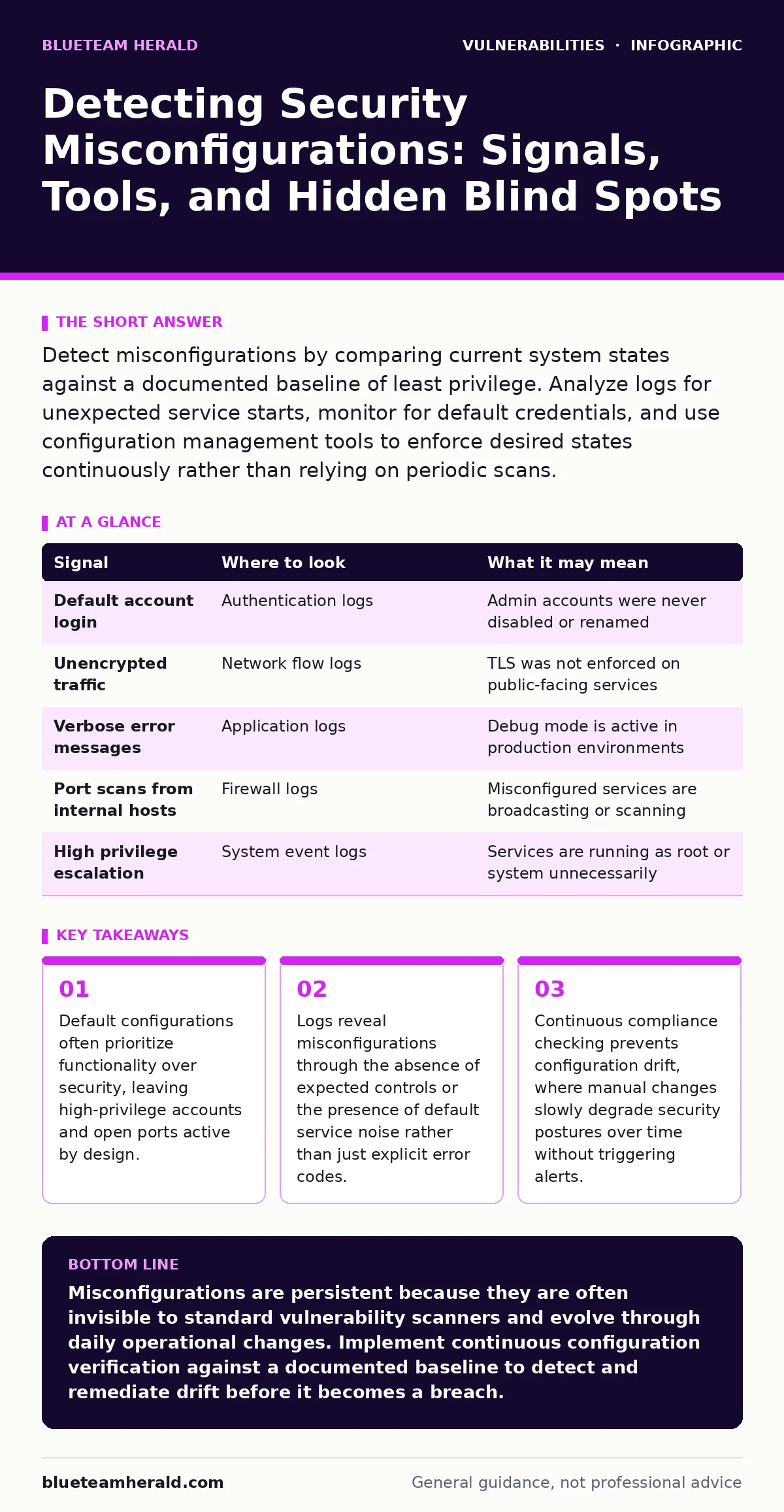
Detect misconfigurations by comparing current system states against a documented baseline of least privilege. Analyze logs for unexpected service starts, monitor for default credentials, and use configuration management tools to enforce desired states continuously rather than relying on periodic scans.
The Baseline Gap in Default Installations
Software vendors configure systems to work out of the box. This convenience often means default accounts remain active, unnecessary services run with elevated privileges, and debugging interfaces stay enabled. You must treat every new installation as hostile until you verify its state. The gap between the vendor default and your security policy is where misconfigurations hide.
Imagine deploying a web server that includes a sample database. If you do not remove that database or restrict its access, it becomes a direct path to your network. This is not a bug in the code; it is a failure to adjust the initial state. You need a documented baseline for every component. This baseline lists exactly which ports must be open, which users exist, and which permissions are granted.
Log Anomalies and Service Noise
Logs are the primary source for detecting deviations from your baseline. Do not just look for failures. Look for successes that should not happen. A successful login from a default administrative account is often more dangerous than a failed brute-force attempt. The system worked exactly as configured, but the configuration was insecure.
| Signal | Where to look | What it may mean |
|---|---|---|
| Default account login | Authentication logs | Admin accounts were never disabled or renamed |
| Unencrypted traffic | Network flow logs | TLS was not enforced on public-facing services |
| Verbose error messages | Application logs | Debug mode is active in production environments |
| Port scans from internal hosts | Firewall logs | Misconfigured services are broadcasting or scanning |
| High privilege escalation | System event logs | Services are running as root or system unnecessarily |
You must filter out the noise. A busy server generates thousands of events. Focus on the identity of the actor and the privilege level of the action. If a service account performs a task that requires human interaction, the configuration is likely too permissive.
The Cost of Configuration Drift
Systems change over time. Administrators make manual tweaks to fix immediate problems. These changes are rarely documented or tested for security impact. This phenomenon is known as configuration drift. It is the silent erosion of your security posture. A server that was secure at deployment may be vulnerable six months later because a developer opened a port to debug an issue and forgot to close it.
Manual checks are insufficient for large environments. You need tools that can query the system state and report deviations. These tools do not fix the issue; they tell you where the reality differs from your intent. This allows you to address the root cause of the drift rather than just patching the symptom.
Tooling for State Verification
Vulnerability scanning identifies known weaknesses in software versions. It does not tell you if your firewall rules are correct or if your database permissions are too broad. You need configuration assessment tools. These tools check against frameworks like CIS Benchmarks or STIGs. They look for specific settings, such as password complexity requirements or session timeout values.
Integration with continuous integration pipelines is critical. If a configuration change fails a security check, the deployment should stop. This prevents misconfigurations from reaching production. It shifts the detection left, catching errors before they affect users. This approach complements vulnerability scanning by covering the settings that scanners often ignore.
Suppose you use a container orchestration platform. Containers often inherit permissions from the host if not explicitly restricted. A tool that checks container manifests can identify if a container is running as root. This is a misconfiguration that standard network scans will not detect. The container is running securely in terms of software version, but insecurely in terms of privilege.
Blind Spots in Cloud and Hybrid Environments
Cloud environments introduce a new layer of complexity. You do not manage the physical hardware, but you manage the identity and access policies. Misconfigurations here are often related to permissions. A storage bucket might be public because the default setting allows it. An identity might have broader access than necessary because the principle of least privilege was not applied.
Another blind spot is the interaction between different services. A service might be configured securely in isolation, but when connected to another service, it creates a vulnerability. For example, a database might be secure, but if it is accessible from a public web server without proper network segmentation, it is exposed. You must map the trust relationships between components.
See also: Cloud-Native Application Protection Platform Misconceptions · Hybrid Cloud Advantages and Disadvantages: Risks and Controls
The Human Element of Verification
Tools can check settings, but they cannot judge intent. You must review the results. A tool might flag a setting as non-compliant, but that setting might be required for a specific business function. You need to understand the context. This requires a process for exception handling. If you accept a risk, document it. If you do not document it, it is a misconfiguration.
Regular review cycles are necessary. Permissions should be revoked when they are no longer needed. Accounts should be disabled when employees leave. These are operational tasks that have security implications. Integrating security checks into operational workflows ensures that misconfigurations are addressed as they occur, rather than accumulating over time.
From Detection to Remediation
Detecting a misconfiguration is only the first step. You must have a process to remediate it. This often requires coordination between security and operations teams. Security identifies the issue; operations implements the fix. Clear ownership is required. Without it, findings languish in ticketing systems.
Automation helps here too. If a tool detects a drift, it can trigger a script to revert the change. This is known as auto-remediation. It is powerful but risky. You must test these scripts thoroughly. An auto-remediation script that breaks a production service is worse than the misconfiguration it tried to fix. Start with alerting, then move to automation as you gain confidence.
Understanding how these issues arise helps in prevention. For deeper technical details on specific failure modes, you may find our guide on vulnerability scanning useful for identifying known software flaws, while security regression testing ensures that updates do not introduce new configuration errors. Additionally, reviewing attack vectors in CVSS can help prioritize which misconfigurations pose the highest risk to your specific architecture.
Key takeaways
- Default configurations often prioritize functionality over security, leaving high-privilege accounts and open ports active by design.
- Logs reveal misconfigurations through the absence of expected controls or the presence of default service noise rather than just explicit error codes.
- Continuous compliance checking prevents configuration drift, where manual changes slowly degrade security postures over time without triggering alerts.
Misconfigurations are persistent because they are often invisible to standard vulnerability scanners and evolve through daily operational changes. Implement continuous configuration verification against a documented baseline to detect and remediate drift before it becomes a breach.
Frequently asked questions
How do I distinguish between a bug and a misconfiguration?
A bug is an error in the code logic that causes unexpected behavior. A misconfiguration is a correct system operating with insecure settings, such as open ports or default passwords.
Can automated tools fix misconfigurations automatically?
They can, but auto-remediation carries risk. It is safer to start with alerts and manual verification before enabling automatic changes to production systems.
How often should I check for configuration drift?
Continuously. Drift happens in real-time as changes are made. Periodic checks only reveal the state at that specific moment, missing intermediate vulnerabilities.
What is the first step in building a configuration baseline?
Document the intended state of your systems, including required ports, users, and permissions. This baseline serves as the truth against which current states are compared.
How this guide was produced: written by the BlueTeam Herald editorial team with AI assistance, checked against the public references listed below, and reviewed when the facts change. See our editorial policy or report an error.