Patch Tuesday Meaning: How Monthly Updates Shape Security Operations
The predictable rhythm of vendor updates creates a window where attackers exploit known gaps before administrators can apply fixes to production systems.

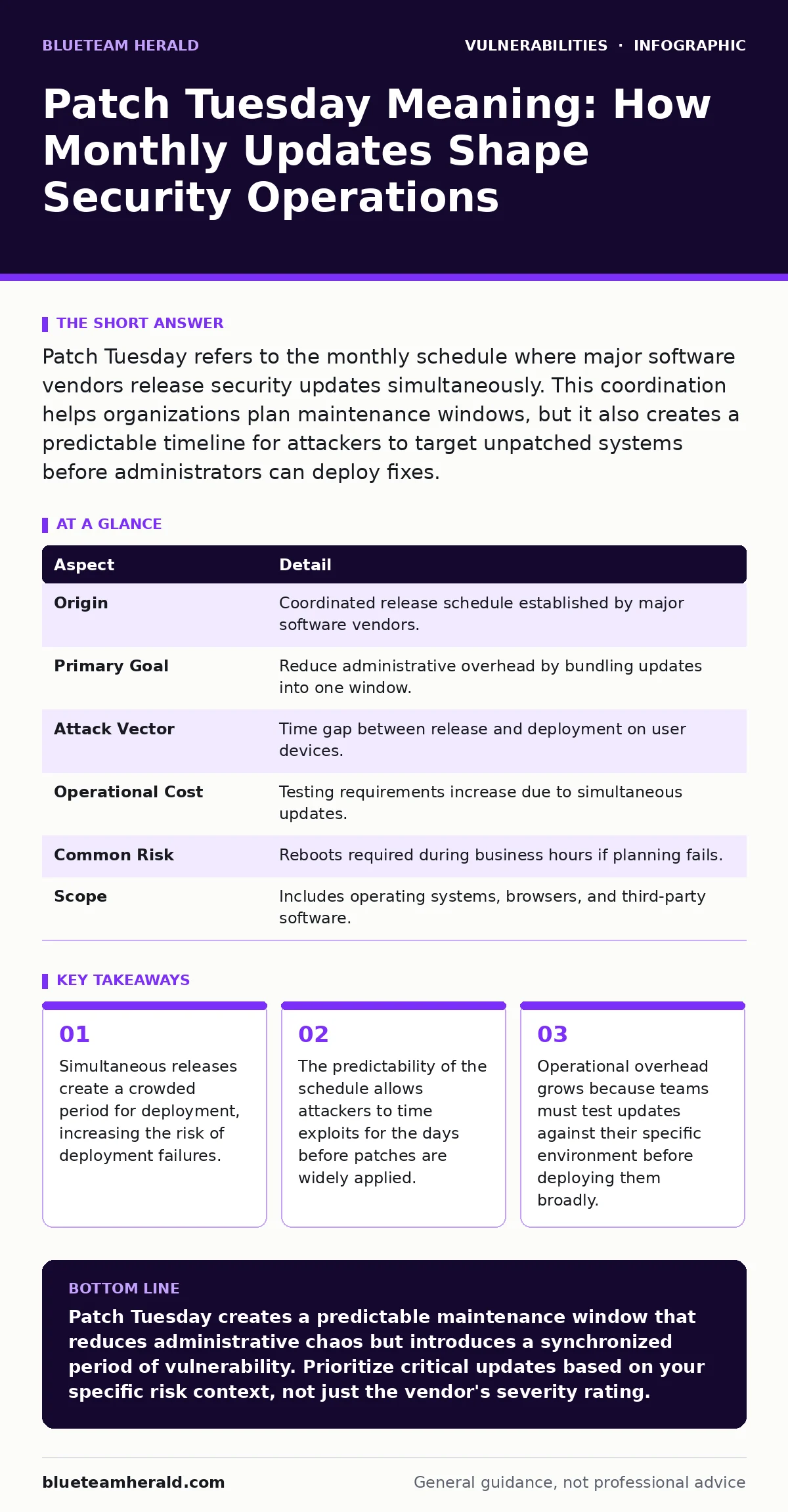
Patch Tuesday refers to the monthly schedule where major software vendors release security updates simultaneously. This coordination helps organizations plan maintenance windows, but it also creates a predictable timeline for attackers to target unpatched systems before administrators can deploy fixes.
The Mechanic’s Scheduled Service
Imagine a mechanic who tells you that every second Tuesday of the month, he will fix every known issue with your car at once. You could ignore this and fix problems only when they break, or you could accept the disruption of a monthly service day. Most organizations choose the latter because the alternative is constant, unpredictable downtime. This concept is the foundation of Patch Tuesday. It transforms chaotic software maintenance into a predictable operational rhythm.
At a Glance
| Aspect | Detail |
|---|---|
| Origin | Coordinated release schedule established by major software vendors. |
| Primary Goal | Reduce administrative overhead by bundling updates into one window. |
| Attack Vector | Time gap between release and deployment on user devices. |
| Operational Cost | Testing requirements increase due to simultaneous updates. |
| Common Risk | Reboots required during business hours if planning fails. |
| Scope | Includes operating systems, browsers, and third-party software. |
How the Schedule Emerged in Practice
The term originated from a specific vendor’s decision to bundle non-security and security updates into a single monthly drop. Before this approach, updates arrived sporadically, forcing administrators to react to each release individually. This created a state of constant partial awareness where no one knew if a system was fully up to date. By consolidating releases, vendors allowed organizations to plan maintenance windows. The practice spread because it reduced the cognitive load on security teams.
You now see this pattern across the entire software ecosystem. Even vendors that do not follow the exact Tuesday schedule often align their major updates with this rhythm. This synchronization happens because downstream integrators build their release cycles around the major operating system updates. If a browser updates in the middle of the month, it might conflict with an operating system update released on Tuesday. Alignment reduces these integration conflicts.
The Deployment Reality
Receiving a patch is not the same as having security. You must verify that the update works in your specific environment. This process is known as validation. If you deploy an update that breaks a critical application, the business impact outweighs the security benefit. This is why many teams delay deployment by several days after the initial release.
This delay creates a window of vulnerability. Attackers monitor these release dates closely. They know that on Patch Tuesday, thousands of organizations are looking at new updates but not yet applying them. They also know that some organizations will wait for a "goldilocks" period where early adopters have tested the patch and confirmed it is stable. This waiting period can last a week or more.
Common Misconceptions
Many people assume that Patch Tuesday covers all software on a network. This is incorrect. It primarily covers the operating system and core platform components. Third-party applications, such as PDF readers or Java runtimes, follow their own schedules. These applications often contain high-severity vulnerabilities that are not addressed by the operating system update. You must track these separately.
Another misconception is that applying the patch instantly secures the system. Some patches require a reboot to take effect. If your devices do not restart, the old code remains in memory. This leaves the system vulnerable despite the patch being marked as installed. You need a policy that enforces reboots or uses mechanisms to update memory-resident components without a full restart.
See also: Vulnerability Scanning: How Automated Checks Find Security Gaps · How to Implement Browser Updates: A Step-by-Step Guide
The Hidden Cost of Coordination
The coordination that helps administrators also helps attackers. This is a non-obvious consequence of the schedule. When everyone updates at the same time, the demand for deployment resources spikes. Automated deployment tools may fail due to network congestion or server timeouts. These failures result in devices that remain unpatched, not because of negligence, but because of capacity constraints.
This congestion also affects vulnerability scanning tools. If you scan your network immediately after Patch Tuesday, you may find false positives or false negatives due to the chaotic state of the updates. Scanners might misidentify a system as vulnerable because the patch is installed but not yet active. You must account for this lag in your reporting.
Managing the Gap
You cannot eliminate the gap between release and deployment, but you can manage it. One strategy is to segment your network. Critical assets that cannot tolerate downtime might wait for extended testing. Less critical assets can receive updates immediately to reduce the overall attack surface. This tiered approach accepts risk in some areas to reduce it in others.
Another strategy is to monitor for security misconfigurations that might prevent patches from installing correctly. If a group policy blocks automatic updates, your scheduled maintenance window becomes irrelevant. You must ensure that the plumbing for updates is working before the update arrives. Regular security regression testing helps ensure that new patches do not break existing security controls.
Beyond Operating Systems
The concept has expanded beyond core operating systems. Many organizations now treat browser updates with the same urgency. Browser updates often contain fixes for zero-day exploits that are actively targeted. Because browsers are the primary interface for many attacks, their patch cycle is critical. However, browsers often update automatically in the background, reducing the need for manual intervention.
This automatic behavior contrasts with server software, which often requires manual intervention. This difference in deployment models requires different management strategies. You cannot apply the same Patch Tuesday workflow to a web browser as you do to a database server. Understanding these differences is key to effective patch management.
The Role of Severity Ratings
Not all patches are equal. You must prioritize based on severity. The attack vectors in CVSS (Common Vulnerability Scoring System) help you understand how an exploit might reach your system. A vulnerability that requires physical access is less urgent than one that can be exploited remotely over the internet.
However, CVSS scores are not perfect. They do not account for your specific environment. A vulnerability that is low risk for a general user might be critical for your specific application stack. You must contextualize the score. This is where input validation practices on your end can mitigate the risk even before the patch is applied. If your code validates all inputs, the vulnerability in the underlying library may not be exploitable.
Unpatched Software as a Legacy Issue
Unpatched software often persists not because administrators are lazy, but because the software is no longer supported. End-of-life products do not receive Patch Tuesday updates. These systems become permanent liabilities. You must isolate them from the rest of the network or replace them.
Ignoring end-of-life software is a common failure mode. Organizations often document these systems as "exceptions" and then forget to review those exceptions. Regular audits are necessary to ensure that these exceptions are still valid and adequately compensated for with other controls.
Key takeaways
- Simultaneous releases create a crowded period for deployment, increasing the risk of deployment failures.
- The predictability of the schedule allows attackers to time exploits for the days before patches are widely applied.
- Operational overhead grows because teams must test updates against their specific environment before deploying them broadly.
Patch Tuesday creates a predictable maintenance window that reduces administrative chaos but introduces a synchronized period of vulnerability. Prioritize critical updates based on your specific risk context, not just the vendor's severity rating.
Frequently asked questions
Does Patch Tuesday apply to all software vendors?
No, the term specifically refers to Microsoft's schedule, but many other vendors have aligned their release cycles to this rhythm to reduce integration conflicts for administrators.
Can I automate all Patch Tuesday deployments?
You can automate endpoint deployments, but server and critical infrastructure updates should usually include a manual approval or testing step to prevent business disruptions caused by compatibility issues.
Why do some organizations wait weeks before patching?
They wait to ensure the patch does not break critical applications, a process known as validation, which trades immediate security for operational stability.
Is Patch Tuesday a security standard?
It is an operational practice rather than a formal security standard, but it is widely adopted because it provides a manageable framework for handling frequent software updates.
How this guide was produced: written by the BlueTeam Herald editorial team with AI assistance, checked against the public references listed below, and reviewed when the facts change. See our editorial policy or report an error.