Command Injection Recovery: Containment, Forensics and System Restoration
Deleting logs during command injection recovery destroys the evidence you need to prove full containment and prevents accurate root cause analysis.

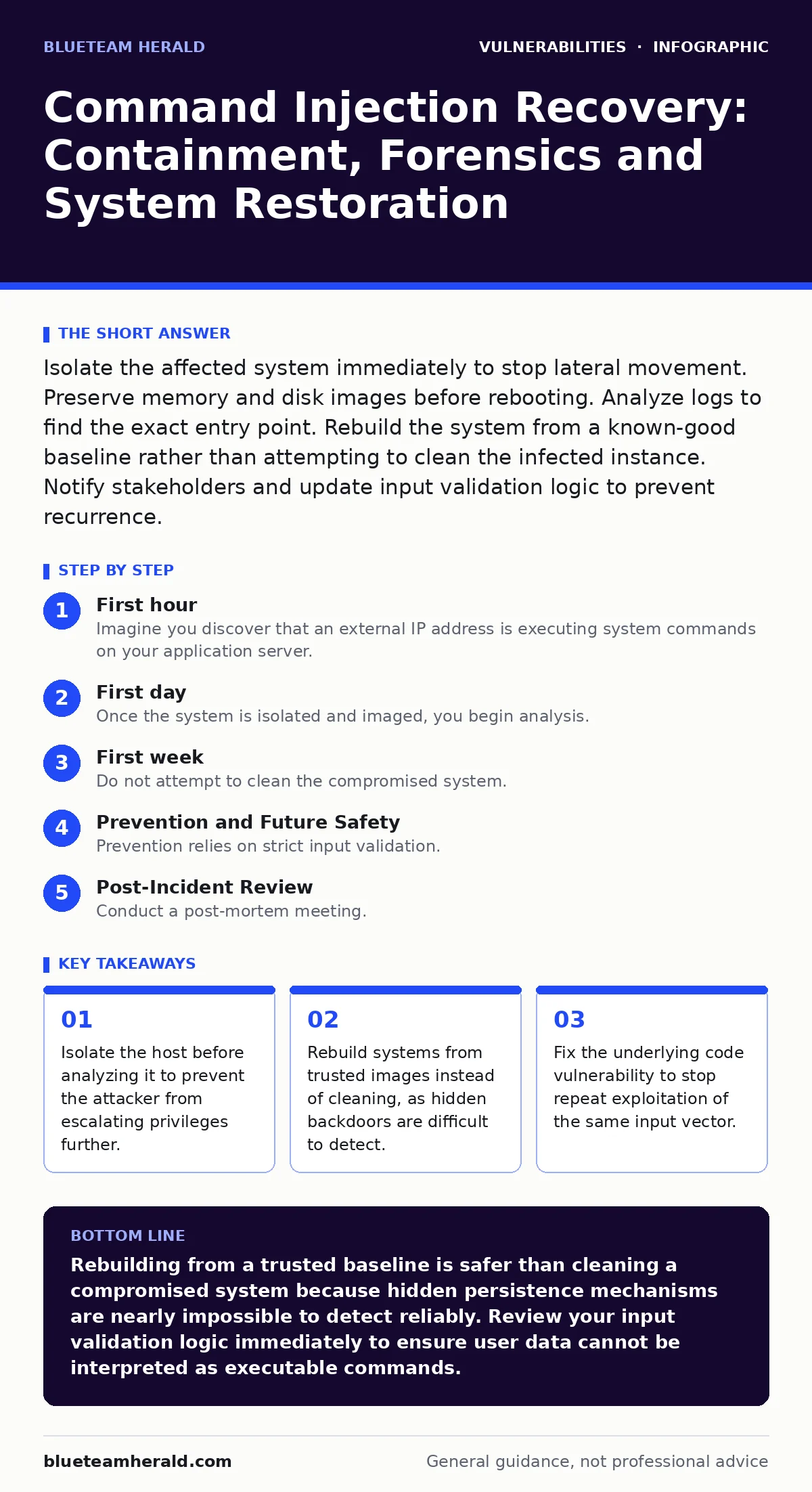
Isolate the affected system immediately to stop lateral movement. Preserve memory and disk images before rebooting. Analyze logs to find the exact entry point. Rebuild the system from a known-good baseline rather than attempting to clean the infected instance. Notify stakeholders and update input validation logic to prevent recurrence.
First hour
Immediate Containment
Imagine you discover that an external IP address is executing system commands on your application server. The attacker likely used command injection, a technique where untrusted input is passed to a system shell. Your first instinct might be to shut down the server. Do not do this.
Your primary goal is to stop the bleeding while preserving evidence. Disconnect the server from the network. If the server is virtual, detach the network interface. If it is physical, unplug the Ethernet cable. This isolation stops the attacker from uploading additional tools or moving laterally to other systems.
Keep the system running if possible. The memory contains the state of the attack. If the system must be powered off due to hardware constraints, note that forensic capability will be significantly reduced. Document the exact time of isolation. Record the IP addresses currently connected to the service.
Evidence Preservation
You must capture the state of the system before making changes. Use forensic tools to create a bit-for-bit image of the disk. Capture the memory dump if the system is still running. These images allow you to analyze the attack offline without risking further damage.
Do not edit files on the live system. Do not run antivirus scans yet. These actions modify timestamps and file metadata. They can corrupt the timeline of events. Preserve the raw data first. Analysis comes second.
First Hour Checklist
- Isolate the host from the network immediately.
- Record the current time and system status.
- Capture a memory dump if the system is running.
- Create a forensic disk image.
- Document all active network connections.
- Notify the incident response lead.
First day
Log Analysis and Scope Definition
Once the system is isolated and imaged, you begin analysis. Start with application logs. Look for unusual input patterns that triggered the command execution. Check for commands that interact with the file system, network stack or user accounts.
Cross-reference these logs with system logs. Identify when the attacker gained initial access. Determine if they created new user accounts. Check for modifications to system binaries or startup scripts. This step defines the scope of the breach.
You are looking for persistence mechanisms. Attackers often install backdoors to return after you patch the vulnerability. Common persistence methods include cron jobs, systemd services and modified shell profiles. Identify all unauthorized changes.
Impact Assessment
Determine what data was accessible. Did the attacker read sensitive files? Did they exfiltrate data? Check network traffic logs for large outbound transfers. Look for connections to unknown external IP addresses.
Assess the lateral movement potential. If the compromised server had access to a database or internal network, assume those systems are also at risk. You may need to isolate additional hosts. This expansion of scope is common in command injection incidents.
Consider the implications for attack vectors in CVSS. Command injection typically scores high because it allows remote code execution. Understanding the severity helps prioritize remediation efforts. It also informs how you communicate the risk to stakeholders.
First week
System Reconstruction
Do not attempt to clean the compromised system. Hidden rootkits and modified binaries are difficult to detect. The safest approach is to rebuild the system from scratch. Use a known-good base image. Restore data only from trusted backups.
Verify the integrity of your backups. If the attacker had access to backup credentials, the backups may be compromised. Use backups from before the initial compromise. This ensures you are not restoring malicious data.
Reinstall applications and dependencies. Apply all security patches. This step addresses unpatched software that may have contributed to the breach. Ensure the new system is configured securely. Disable unnecessary services and ports.
Code Remediation
The root cause is a flaw in how the application handles input. You must fix the code. Replace dangerous functions that execute system commands with safer alternatives. Use allowlists for input validation. Reject any input that does not match expected patterns.
Sanitize all user input before passing it to the system shell. Escape special characters. This prevents the shell from interpreting input as commands. Test the fix thoroughly. Use security regression testing to ensure the fix does not introduce new issues.
Review similar code paths in the application. Command injection often exists in multiple places. Fix all instances. This comprehensive approach prevents the attacker from exploiting a similar vulnerability elsewhere.
Notification and Reporting
Inform relevant stakeholders. This includes internal teams, legal counsel and potentially affected users. Provide a clear timeline of events. Explain what data was accessed and what steps were taken to secure it.
If regulatory requirements exist, follow the mandated reporting procedures. Be transparent but precise. Avoid speculation. Stick to the facts established during the forensic analysis. This builds trust and ensures compliance.
Document the lessons learned. Update your vulnerability management programs to include better testing for injection flaws. Integrate static analysis tools into your development pipeline. This helps catch similar issues before they reach production.
Prevention and Future Safety
Input Validation Strategies
Prevention relies on strict input validation. Never trust user input. Assume all input is malicious. Use parameterized commands where possible. This separates code from data.
Implement allowlists. Define exactly what characters and values are valid. Reject everything else. This is more secure than deny-lists, which try to block known bad characters. Attackers often find ways to bypass deny-lists.
Regularly audit your codebase. Use vulnerability scanning tools to detect potential injection points. However, automated tools are not perfect. Manual code review is still necessary. Look for places where user input interacts with the system shell.
Monitoring and Detection
Set up alerts for suspicious command execution. Monitor for unexpected processes or network connections. Use intrusion detection systems to identify known attack patterns.
Review logs regularly. Look for anomalies in user behavior. Sudden spikes in command execution can indicate an attack. Early detection reduces the impact of a breach.
Consider Patch Tuesday cycles. Keep systems updated. Patches often fix underlying vulnerabilities that can lead to command injection. A disciplined patching process reduces your attack surface.
See also: DNS Rebinding Response: Containment, Recovery and Prevention Steps
Post-Incident Review
Process Improvement
Conduct a post-mortem meeting. Discuss what went well and what did not. Identify gaps in your detection and response capabilities.
Update your incident response plan. Incorporate the lessons learned from this incident. Ensure all team members are trained on the new procedures.
Evaluate the effectiveness of your tools. Did they help or hinder the response? Make adjustments as needed. Continuous improvement is key to security.
Security Culture
Foster a culture of security awareness. Encourage developers to write secure code. Provide training on common vulnerabilities.
Promote collaboration between development and security teams. Security should be integrated into the development lifecycle. This shift left approach catches issues early.
Remember that security is an ongoing process. There is no final state. You must continuously adapt to new threats and techniques. Stay proactive.
Key takeaways
- Isolate the host before analyzing it to prevent the attacker from escalating privileges further.
- Rebuild systems from trusted images instead of cleaning, as hidden backdoors are difficult to detect.
- Fix the underlying code vulnerability to stop repeat exploitation of the same input vector.
Rebuilding from a trusted baseline is safer than cleaning a compromised system because hidden persistence mechanisms are nearly impossible to detect reliably. Review your input validation logic immediately to ensure user data cannot be interpreted as executable commands.
Frequently asked questions
Can I just patch the vulnerability and restart the server?
No, patching does not remove existing backdoors or stolen data. The attacker may have already established persistence, allowing them to regain access even after the fix.
How do I know if my backups are clean?
You cannot be certain without forensic analysis. Assume backups taken after the initial compromise are tainted and use only those from before the attack started.
Is input sanitization enough to prevent command injection?
Sanitization helps, but allowlisting is safer. Sanitization tries to remove bad characters, while allowlisting only permits known good characters, reducing bypass risks.
Should I notify users of the breach?
Notify users if sensitive data was accessed or if regulatory requirements mandate disclosure. Transparency helps maintain trust and ensures legal compliance.
How this guide was produced: written by the BlueTeam Herald editorial team with AI assistance, checked against the public references listed below, and reviewed when the facts change. See our editorial policy or report an error.