Input Validation Best Practices to Stop Exploits at the Edge
Validating input at the network perimeter prevents logic errors from reaching the core application, reducing the attack surface before code execution begins.

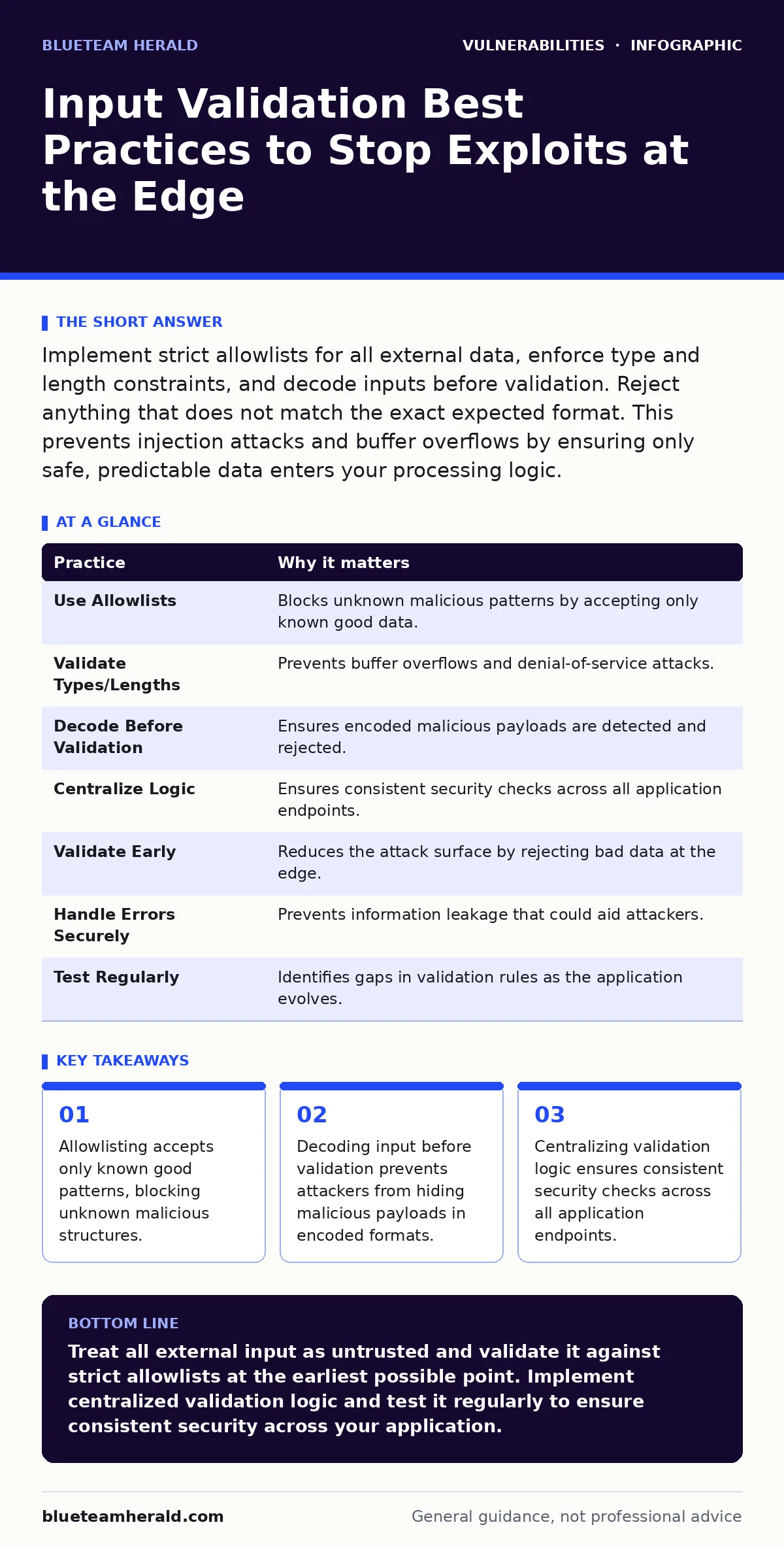
Implement strict allowlists for all external data, enforce type and length constraints, and decode inputs before validation. Reject anything that does not match the exact expected format. This prevents injection attacks and buffer overflows by ensuring only safe, predictable data enters your processing logic.
The Perimeter Defense Strategy
Input validation is the process of checking that data entering a system meets specific criteria before the system processes it. You treat all external data as untrusted by default. This includes data from web forms, API calls, file uploads, and even internal services that bridge different trust boundaries. The goal is to reject malformed or unexpected data immediately.
When you fail to validate input, you expose your application to injection attacks. These attacks trick the application into executing malicious commands or accessing unauthorized resources. By filtering data at the entry point, you reduce the complexity of security checks needed deeper in the stack. This approach aligns with the principle of least privilege, where each component only receives the data it strictly needs.
Consider how security misconfigurations often leave validation rules disabled or overly permissive. A misconfigured server might accept any character set, allowing an attacker to bypass standard filters. Proper validation requires explicit configuration, not reliance on default settings that may prioritize convenience over security.
1. Use Allowlists Instead of Blocklists
An allowlist defines exactly what is acceptable, rejecting everything else. A blocklist attempts to filter out known bad patterns. Blocklists are inherently flawed because attackers can always find new ways to bypass them. For example, if you block the word "script", an attacker might use "scr[i]pt" or encode the characters.
Allowlists force you to define the exact structure of valid input. If a field expects a number, you accept only digits. If it expects a name, you accept only letters and perhaps hyphens. This method is more secure because it is impossible to construct a malicious payload that fits the strict definition of valid data.
Tip: Define regular expressions that match only the allowed characters and structure. Test these expressions against edge cases to ensure they do not accidentally accept special characters that could be interpreted as code.
2. Validate Data Types and Lengths
Every input field has an expected data type and a maximum length. Enforcing these constraints prevents buffer overflow attacks and logic errors. A buffer overflow occurs when an application writes more data to a memory block than it can hold, potentially allowing an attacker to execute arbitrary code.
Length limits also protect against denial-of-service attacks. An attacker might send a massive string to exhaust server memory or processing time. By setting strict maximum lengths, you ensure the application remains responsive under heavy load.
Tip: Set length limits based on business requirements, not arbitrary defaults. If a username is ten characters, reject anything longer. This prevents unexpected behavior in downstream systems that may not handle large inputs gracefully.
3. Decode Input Before Validation
Attackers often encode malicious payloads to bypass simple filters. Encoding schemes like URL encoding, Base64, or HTML entities transform characters into a different representation. If you validate the encoded string, you might miss the malicious content hidden within the encoding.
You must decode the input to its original form before applying validation rules. This ensures that the validation logic sees the actual data the application will process. Failing to decode can lead to false negatives, where malicious input is accepted because it appears benign in its encoded state.
Tip: Implement a multi-pass decoding strategy. Some attackers double-encode payloads to evade single-pass decoders. Repeatedly decode the input until no further changes occur, then validate the final result.
4. Centralize Validation Logic
Duplicating validation logic across different parts of an application leads to inconsistencies. One module might validate input correctly, while another skips a check. This inconsistency creates gaps that attackers can exploit.
Centralizing validation into a single library or framework ensures that all input is checked using the same rules. This approach simplifies maintenance and updates. If you discover a new attack vector, you update the central logic once, and all parts of the application benefit.
Tip: Create reusable validation functions that can be imported by any module requiring input checks. Document these functions clearly to encourage their use across the development team.
See also: Web Shell Prevention Checklist: Stop Persistent Backdoors · How Cross-Site Scripting Works Step by Step
5. Validate at the Earliest Possible Point
Input should be validated as soon as it enters the application boundary. Delaying validation until the data reaches the database or business logic layer increases the risk of exploitation. An attacker might use the time between input and validation to manipulate the application state.
Early validation also reduces the amount of untrusted data circulating within the system. This limits the potential impact of a successful attack. If the data is rejected at the edge, it never touches sensitive components.
Tip: Implement validation middleware or interceptors that run before any business logic. This ensures that no request proceeds without passing the initial security checks.
6. Handle Errors Securely
When validation fails, the application must reject the input gracefully. Detailed error messages can reveal information about the application’s internal structure or validation rules. An attacker might use this information to craft more effective attacks.
Generic error messages protect the application by hiding specific details. However, you must still log the specific error for debugging purposes. Ensure that logs are accessible only to authorized personnel and do not contain sensitive data.
Tip: Return a standard error message to the user, such as "Invalid input format." Log the actual error details internally for analysis. This balances user experience with security.
7. Test Validation Rules Regularly
Validation rules can become outdated as the application evolves. New features might introduce new input types or change existing constraints. Without regular testing, these changes can create security gaps.
Automated testing ensures that validation rules are applied consistently. Include negative test cases that attempt to bypass validation with malformed or malicious data. This helps identify weaknesses before they reach production.
Tip: Integrate validation tests into your continuous integration pipeline. This ensures that any code changes are validated against security rules before deployment. Refer to security regression testing to ensure new code does not break existing security controls.
| Practice | Why it matters |
|---|---|
| Use Allowlists | Blocks unknown malicious patterns by accepting only known good data. |
| Validate Types/Lengths | Prevents buffer overflows and denial-of-service attacks. |
| Decode Before Validation | Ensures encoded malicious payloads are detected and rejected. |
| Centralize Logic | Ensures consistent security checks across all application endpoints. |
| Validate Early | Reduces the attack surface by rejecting bad data at the edge. |
| Handle Errors Securely | Prevents information leakage that could aid attackers. |
| Test Regularly | Identifies gaps in validation rules as the application evolves. |
Beyond Basic Validation
Input validation is just one layer of defense. You must also consider how data is processed after validation. For example, command injection occurs when an application passes user input to a system shell without proper sanitization. Even if the input is validated for format, it might still contain characters that have special meaning to the shell.
You should also be aware of attack vectors in CVSS. The Common Vulnerability Scoring System rates vulnerabilities based on factors like complexity and required privileges. Input validation flaws often have high scores because they are easy to exploit and can lead to remote code execution.
Regular vulnerability scanning can help identify input validation issues. Scanners send various payloads to the application to see how it responds. While scanning is useful, it cannot replace rigorous code review and testing.
Conclusion of Practices
Implementing these practices creates a strong foundation for input security. You reduce the likelihood of successful attacks by ensuring that only valid, expected data enters your system. This approach requires discipline and attention to detail, but it pays off in reduced risk and improved reliability.
Remember that security is an ongoing process. New threats emerge, and applications change. You must continuously review and update your validation strategies to stay ahead of attackers.
Key takeaways
- Allowlisting accepts only known good patterns, blocking unknown malicious structures.
- Decoding input before validation prevents attackers from hiding malicious payloads in encoded formats.
- Centralizing validation logic ensures consistent security checks across all application endpoints.
Treat all external input as untrusted and validate it against strict allowlists at the earliest possible point. Implement centralized validation logic and test it regularly to ensure consistent security across your application.
Frequently asked questions
Is client-side validation enough for security?
No, client-side validation can be bypassed easily. You must always validate input on the server side to ensure security.
How do I handle file uploads securely?
Validate file types by checking the magic bytes, not just the extension. Store files outside the web root and serve them through a controlled mechanism.
What is the difference between validation and sanitization?
Validation checks if input meets specific criteria and rejects it if it does not. Sanitization modifies input to remove potentially harmful characters, which is less secure than rejection.
How this guide was produced: written by the BlueTeam Herald editorial team with AI assistance, checked against the public references listed below, and reviewed when the facts change. See our editorial policy or report an error.