Data Center Resilience Planning: 7 Common Mistakes and Fixes
Resilience fails when teams optimize for uptime alone, ignoring the silent decay of configuration drift and untested recovery paths that surface during actual failures.

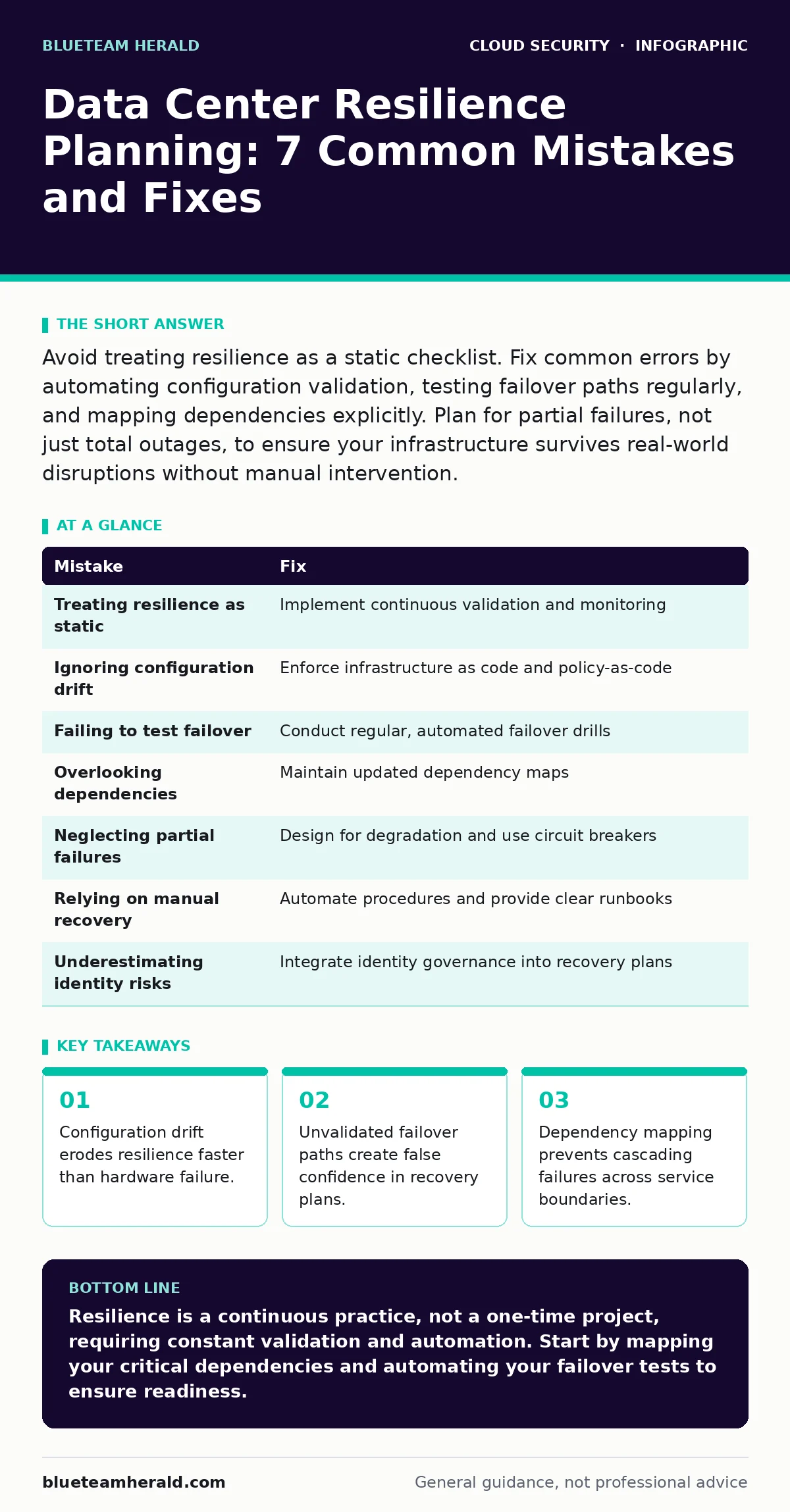
Avoid treating resilience as a static checklist. Fix common errors by automating configuration validation, testing failover paths regularly, and mapping dependencies explicitly. Plan for partial failures, not just total outages, to ensure your infrastructure survives real-world disruptions without manual intervention.
Mistake 1: Treating Resilience as a One-Time Project
Resilience planning is often treated as a finite task rather than an ongoing discipline. Teams build a resilient architecture, document it, and then assume it remains effective indefinitely. This static approach ignores the continuous evolution of cloud environments, where services are updated, dependencies shift, and new vulnerabilities emerge. The architecture that worked last year may be fragile today due to accumulated technical debt or changed external dependencies.
Why it hurts:
Static plans become obsolete quickly. As your infrastructure grows, undocumented changes create hidden single points of failure. When a disruption occurs, the documented recovery steps no longer match the actual system state. This mismatch leads to extended downtime because responders follow incorrect procedures or struggle to reconcile documentation with reality. The cost of re-engineering resilience after a failure far exceeds the cost of continuous maintenance.
The fix:
Implement continuous resilience validation. Treat your architecture as code, storing infrastructure definitions in version control. Use automated tools to detect configuration drift between the desired state and the actual environment. Schedule regular reviews to update documentation and test recovery paths. This approach ensures your resilience plan evolves alongside your infrastructure, maintaining accuracy and effectiveness over time.
Mistake 2: Ignoring Configuration Drift
Configuration drift occurs when the actual state of your systems diverges from the intended baseline. This happens through manual changes, emergency patches, or automated updates that are not tracked. Over time, these small deviations accumulate, creating inconsistencies across environments. What works in development may fail in production, or vice versa, because the configurations are no longer identical.
Why it hurts:
Drift undermines reproducibility and reliability. During a failover event, the secondary environment may behave differently from the primary due to subtle configuration differences. This inconsistency can cause applications to crash or data to become corrupted during the switch. Identifying the root cause of failure becomes difficult when multiple configurations are in play, delaying recovery and increasing operational stress.
The fix:
Enforce infrastructure as code practices. Define all configurations in declarative files that describe the desired state of your systems. Use automated deployment pipelines to apply these configurations consistently across all environments. Implement policy-as-code tools to continuously monitor for drift and alert when changes occur outside approved workflows. This ensures that every instance matches the baseline, reducing variability and improving predictability.
Mistake 3: Failing to Test Failover Paths
Many teams design redundant systems but never test the failover process. They assume that because the backup infrastructure exists, it will work when needed. This assumption is dangerous because redundancy does not guarantee functionality. Without regular testing, hidden issues such as broken network routes, expired credentials, or incompatible software versions remain undetected until a real outage occurs.
Why it hurts:
Untested failover paths provide false confidence. When a disruption happens, the automated switch may fail, requiring manual intervention that is slow and error-prone. The delay in restoring services amplifies the impact of the outage. Furthermore, the stress of a live incident makes it difficult to troubleshoot effectively, leading to prolonged downtime and potential data loss. Trust in your resilience plan erodes when it fails under pressure.
The fix:
Conduct regular failover drills. Simulate failures in non-production environments first, then progress to production with controlled tests. Automate the failover process where possible, reducing reliance on manual steps. Document the results of each test and update procedures based on findings. This practice validates your recovery capabilities and identifies weaknesses before they cause real harm. Consider integrating cloud penetration testing to verify that your failover mechanisms are secure and functional.
Mistake 4: Overlooking Dependency Mapping
Complex cloud environments rely on numerous interconnected services. Teams often focus on individual components without mapping the full dependency chain. This lack of visibility means that a failure in one service can cascade through others, causing widespread disruption. Without a clear map of dependencies, it is difficult to isolate failures or prioritize recovery efforts.
Why it hurts:
Cascading failures are harder to detect and resolve. When a downstream service fails, upstream services may also stop functioning, even if they are technically healthy. This ripple effect expands the scope of the outage, affecting more users and business processes. Troubleshooting becomes a guessing game, as teams struggle to identify the root cause among many interconnected components. This delays recovery and increases the risk of secondary failures.
The fix:
Create and maintain a detailed dependency map. Use automated discovery tools to identify connections between services, databases, and external APIs. Update this map whenever changes are made to the infrastructure. During an incident, use the map to quickly identify affected services and isolate the root cause. This visibility enables faster recovery and helps prevent cascading failures by allowing targeted interventions.
Mistake 5: Neglecting Partial Failure Scenarios
Resilience plans often focus on total outages, such as a data center going offline. However, partial failures are more common and often more challenging to handle. These include degraded performance, intermittent connectivity, or service-specific failures. Planning only for total outages leaves teams unprepared for the nuanced reality of cloud environments, where components fail independently.
Why it hurts:
Partial failures can be insidious. They may not trigger immediate alerts or failover mechanisms, allowing issues to persist and worsen. Users experience degraded service, leading to dissatisfaction and potential data inconsistencies. Because the system is still partially operational, teams may underestimate the severity of the problem, delaying corrective action. This gradual degradation can eventually lead to a full outage if not addressed promptly.
The fix:
Design for partial failures. Implement circuit breakers to isolate failing components and prevent cascading issues. Use health checks that detect degraded performance, not just binary up/down states. Train teams to handle scenarios where some services are functional while others are not. This approach ensures that your system can maintain core functionality even when parts of it are impaired, improving overall resilience.
Mistake 6: Relying on Manual Recovery Procedures
Manual recovery steps introduce human error and delay. In a high-stress outage scenario, responders may skip steps, make typos, or misinterpret instructions. The time required to execute manual procedures extends the duration of the outage. Furthermore, manual processes are difficult to scale, making it hard to recover large or complex systems quickly.
Why it hurts:
Human error is a significant risk during incidents. Fatigue and pressure increase the likelihood of mistakes, which can worsen the situation. Manual processes are also inconsistent, leading to varying recovery times and outcomes. This unpredictability makes it difficult to meet service level agreements and maintain trust with users. The reliance on specific individuals for recovery creates a single point of failure in your operational model.
The fix:
Automate recovery procedures wherever possible. Use scripts and orchestration tools to execute failover steps consistently and quickly. Document the automation logic and test it regularly to ensure it remains effective. Provide clear runbooks for any necessary manual interventions, ensuring they are concise and error-resistant. This reduces the burden on responders and improves the reliability of your recovery process.
Mistake 7: Underestimating Identity and Access Risks
Resilience planning often focuses on infrastructure and applications, neglecting identity and access management. During an outage, emergency access may be granted hastily, bypassing standard controls. This can lead to privilege escalation or unauthorized access, especially if the recovery process involves multiple teams or external vendors.
Why it hurts:
Compromised access controls can turn an infrastructure outage into a security breach. Attackers may exploit the chaos of an incident to gain unauthorized access to sensitive data. Even without malicious intent, accidental misuse of elevated privileges can cause further damage. This adds complexity to the incident response, requiring both recovery and security investigations. The combination of operational and security failures amplifies the impact of the outage.
The fix:
Integrate identity governance into your resilience plan. Define emergency access procedures that maintain security controls, such as time-limited privileges and audit logging. Ensure that recovery teams have the necessary access pre-approved and documented. Regularly review access rights to ensure they align with current roles and responsibilities. This approach balances the need for rapid recovery with the imperative to maintain security, preventing secondary incidents.
| Mistake | Fix |
|---|---|
| Treating resilience as static | Implement continuous validation and monitoring |
| Ignoring configuration drift | Enforce infrastructure as code and policy-as-code |
| Failing to test failover | Conduct regular, automated failover drills |
| Overlooking dependencies | Maintain updated dependency maps |
| Neglecting partial failures | Design for degradation and use circuit breakers |
| Relying on manual recovery | Automate procedures and provide clear runbooks |
| Underestimating identity risks | Integrate identity governance into recovery plans |
Key takeaways
- Configuration drift erodes resilience faster than hardware failure.
- Unvalidated failover paths create false confidence in recovery plans.
- Dependency mapping prevents cascading failures across service boundaries.
Resilience is a continuous practice, not a one-time project, requiring constant validation and automation. Start by mapping your critical dependencies and automating your failover tests to ensure readiness.
Frequently asked questions
How often should I test my data center failover?
Test failover paths at least quarterly, with more frequent tests for critical systems. Automated tests can run continuously in non-production environments to catch issues early.
What is the biggest risk in cloud resilience planning?
The biggest risk is assuming that infrastructure redundancy guarantees functionality. Without regular testing and configuration management, redundant systems may fail to perform as expected during an actual outage.
How do I handle identity access during an emergency?
Pre-define emergency access roles with time-limited privileges and strict audit logging. Ensure these roles are reviewed regularly to prevent privilege creep and maintain security during high-stress incidents.
Can I automate dependency mapping?
Yes, many cloud providers and third-party tools offer automated dependency discovery. These tools scan your infrastructure to identify connections between services, updating maps in real-time as changes occur.
How this guide was produced: written by the BlueTeam Herald editorial team with AI assistance, checked against the public references listed below, and reviewed when the facts change. See our editorial policy or report an error.