Secrets Managers: Definition, Purpose, and Cloud Architecture Role
Secrets managers isolate credentials from code to prevent accidental exposure and enable automatic rotation without service interruption.

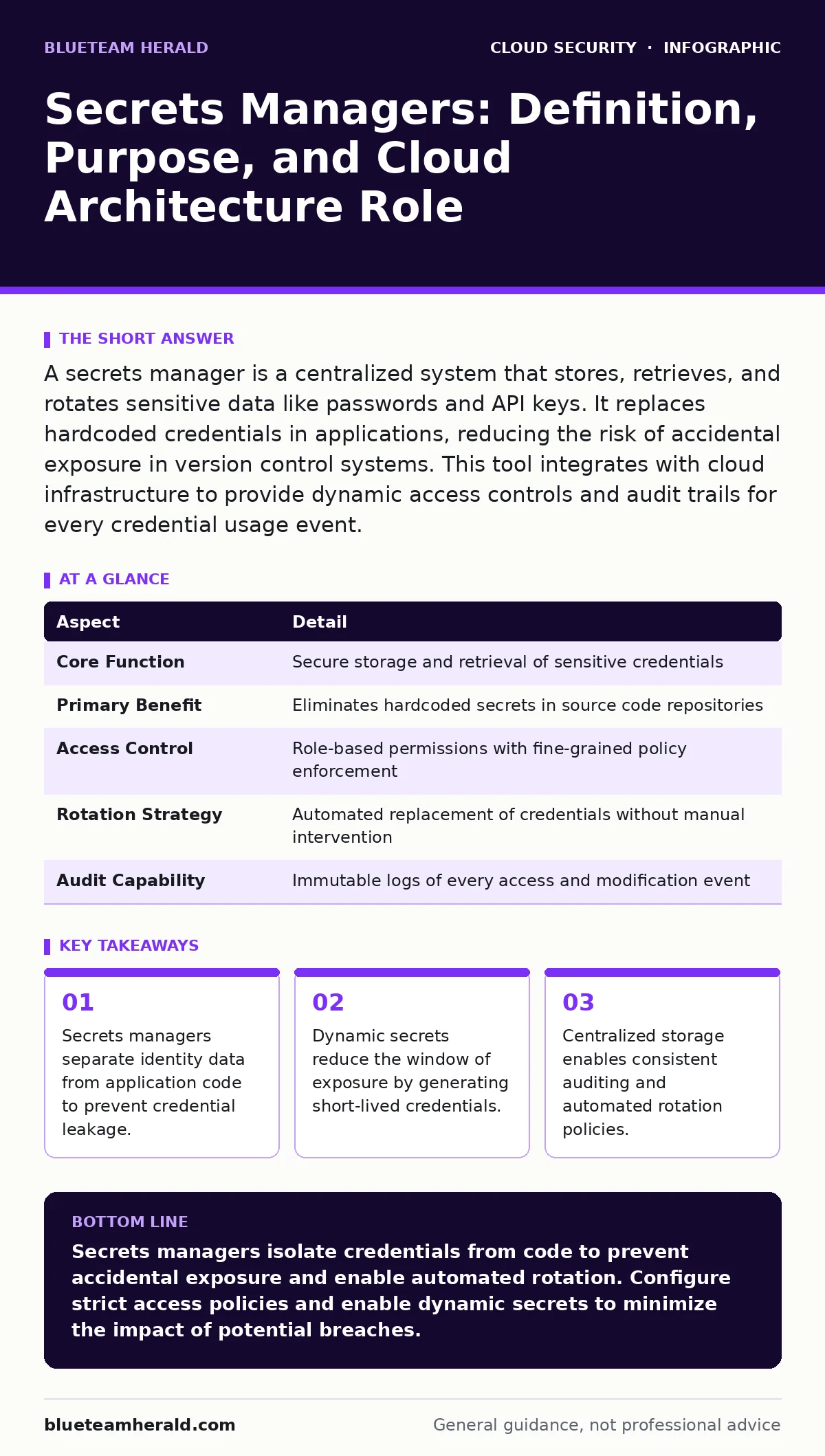
A secrets manager is a centralized system that stores, retrieves, and rotates sensitive data like passwords and API keys. It replaces hardcoded credentials in applications, reducing the risk of accidental exposure in version control systems. This tool integrates with cloud infrastructure to provide dynamic access controls and audit trails for every credential usage event.
The Digital Vault Analogy
Imagine you run a library where every book requires a unique key to open its case. Handing out physical keys to every visitor creates chaos. Keys get lost, copied, or stolen. A secrets manager acts as a digital concierge. You never hold the key. You ask the concierge for access, and it grants temporary entry only when needed. This model ensures that no single person holds the master key to the entire collection. The system tracks who asked for access and when. This separation of duties prevents accidental exposure. It also allows the library to change locks without notifying every visitor individually.
What Is a Secrets Manager
A secrets manager is a specialized software service that stores and manages sensitive information. This data includes passwords, API keys, certificates, and encryption keys. The system provides a secure interface for applications to retrieve these values at runtime. It never exposes the raw secret to the user or the developer. Instead, it returns an encrypted token or a temporary credential. This mechanism ensures that sensitive data never appears in plain text within memory longer than necessary. The service acts as an intermediary between the application and the underlying infrastructure. It enforces access policies before granting any retrieval request.
| Aspect | Detail |
|---|---|
| Core Function | Secure storage and retrieval of sensitive credentials |
| Primary Benefit | Eliminates hardcoded secrets in source code repositories |
| Access Control | Role-based permissions with fine-grained policy enforcement |
| Rotation Strategy | Automated replacement of credentials without manual intervention |
| Audit Capability | Immutable logs of every access and modification event |
The Problem of Hardcoded Credentials
Developers often embed credentials directly into application code for convenience. This practice creates a severe security risk. When code is committed to a version control system, those secrets become permanent. Even if deleted later, the history remains accessible to anyone with repository access. A single exposed password can compromise an entire cloud environment.
Attackers scan public repositories for known credential patterns. They find them quickly. This exposure leads to unauthorized data access and system takeover. Secrets managers solve this by externalizing credentials. Applications request secrets at runtime rather than storing them statically. This approach ensures that credentials are not present in the codebase. It also allows for immediate revocation if a leak occurs.
Main Components of the System
A secrets manager consists of several interconnected components. The storage layer holds the encrypted secrets. It uses strong encryption algorithms to protect data at rest. The access control layer validates requests. It checks the identity of the requester and their permissions. The rotation engine handles credential updates. It generates new secrets and updates dependent systems automatically. The audit logging component records every interaction. It creates an immutable trail for compliance and forensic analysis. These components work together to provide a secure lifecycle for sensitive data. Each part addresses a specific vulnerability in traditional credential management.
Integration with Cloud Defenses
Secrets managers do not operate in isolation. They integrate with broader security frameworks. They connect with identity and access management systems to enforce least privilege. This alignment prevents unauthorized applications from retrieving secrets. They also interact with cloud logging and monitoring tools. These tools detect anomalous access patterns in real time. If an application requests a secret from an unusual location, the system can block the request. This integration enhances visibility across the environment. It ensures that credential usage aligns with expected behavior. Without this connection, secrets managers remain blind to contextual threats.
Common Misconceptions and Pitfalls
Many teams believe that storing secrets in a manager eliminates all risk. This view is incorrect. Secrets managers protect the value, not the access. If an application has overly broad permissions, it can retrieve secrets it does not need. This misconfiguration leads to privilege escalation. Another mistake is treating secrets as static. Teams often forget to enable automatic rotation. Stale credentials increase the blast radius if compromised. Some developers bypass the manager for testing purposes. This creates inconsistent security postures between environments. Proper usage requires strict policy enforcement and continuous monitoring.
Advanced Security Considerations
Advanced deployments use dynamic secrets. These are credentials generated on demand for a short duration. They expire automatically after use. This approach eliminates the need for long-term static passwords. It reduces the risk of credential stuffing attacks. Another consideration is the handling of encryption keys. Some managers support customer-managed keys.
This allows organizations to retain control over the encryption process. It adds a layer of defense against insider threats. Teams must also consider the impact on performance. Retrieving secrets adds latency to application startup. Caching strategies can mitigate this delay. However, caching must be balanced against security requirements.
The Role in DevSecOps
Secrets managers enable secure development practices. They support shift-left security by integrating into the development pipeline. Developers can test applications without accessing production credentials. The manager provides mock secrets for development environments. This separation ensures that testing does not expose real data. It also accelerates the release cycle. Automated rotation policies reduce the operational burden on security teams. Developers focus on code while the manager handles credential hygiene. This division of labor improves both security and productivity. It aligns security controls with modern development workflows.
Key takeaways
- Secrets managers separate identity data from application code to prevent credential leakage.
- Dynamic secrets reduce the window of exposure by generating short-lived credentials.
- Centralized storage enables consistent auditing and automated rotation policies.
Secrets managers isolate credentials from code to prevent accidental exposure and enable automated rotation. Configure strict access policies and enable dynamic secrets to minimize the impact of potential breaches.
Frequently asked questions
Do secrets managers replace the need for strong passwords?
No, secrets managers protect how credentials are stored and accessed. They do not make weak passwords secure. Strong, complex credentials remain necessary to prevent brute-force attacks against the stored values.
Can secrets managers protect against insider threats?
They limit the damage by enforcing least privilege and logging all access. However, they cannot stop a malicious insider with authorized access. Additional monitoring and behavioral analysis are required to detect insider misuse.
Are secrets managers suitable for on-premise environments?
Yes, many solutions support hybrid deployments. They can manage secrets for on-premise servers and cloud resources simultaneously. This flexibility ensures consistent security controls across hybrid cloud security architectures.
How do secrets managers handle certificate management?
They store private keys and issue certificates on demand. This automation simplifies certificate lifecycle management. It
How this guide was produced: written by the BlueTeam Herald editorial team with AI assistance, checked against the public references listed below, and reviewed when the facts change. See our editorial policy or report an error.