Stolen Session Tokens: Debunking Six Common Security Myths
Session tokens bypass password checks entirely, meaning multi-factor authentication offers zero protection once an attacker steals an active session.
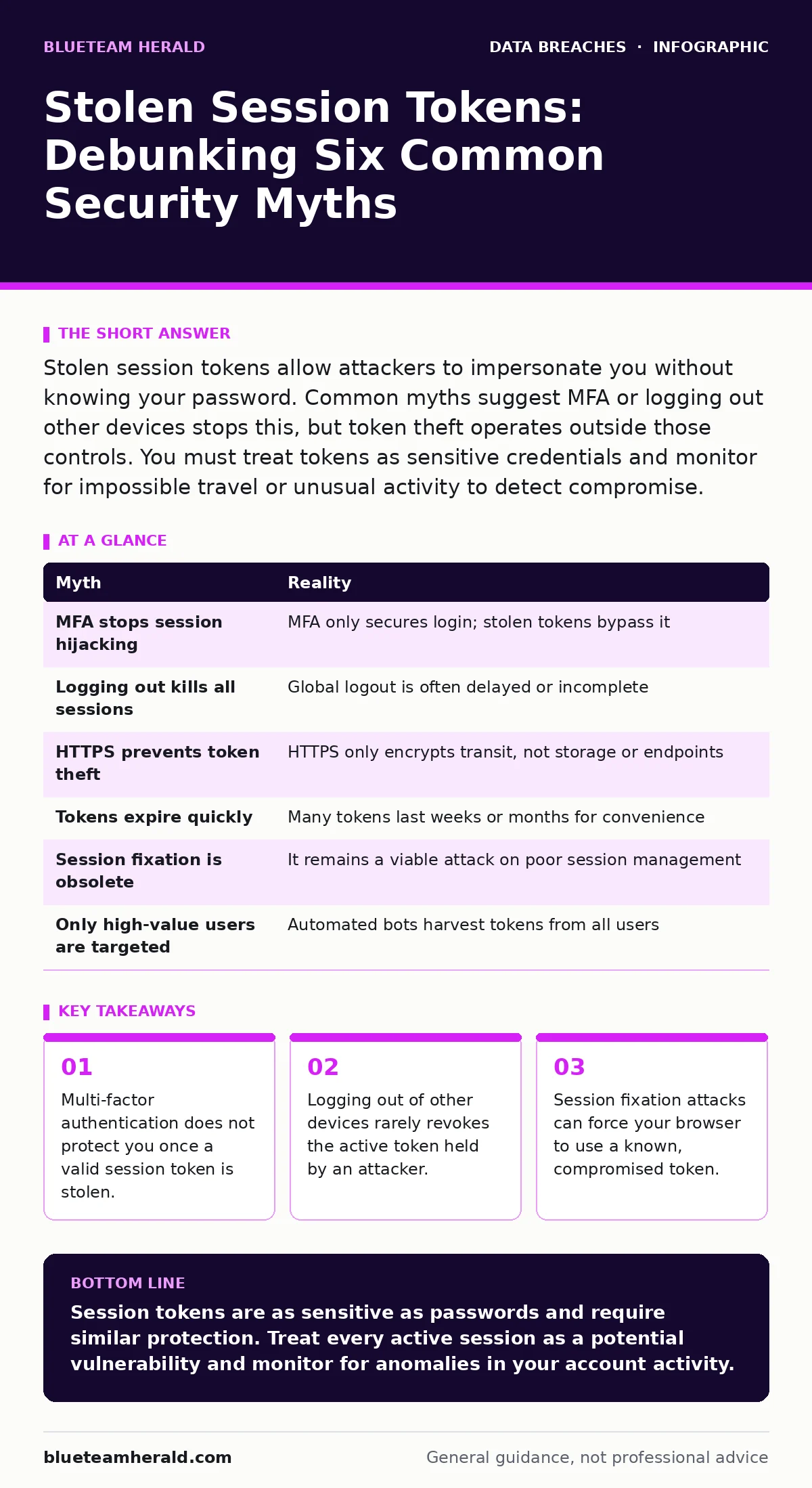
Stolen session tokens allow attackers to impersonate you without knowing your password. Common myths suggest MFA or logging out other devices stops this, but token theft operates outside those controls. You must treat tokens as sensitive credentials and monitor for impossible travel or unusual activity to detect compromise.
Myth: Multi-factor authentication prevents session hijacking
Reality: Multi-factor authentication (MFA) only secures the initial login process. Once you have authenticated, the server issues a session token that acts as your temporary identity. If an attacker steals this token, they present it to the server as proof of identity. The server accepts it because it is valid, bypassing the password and MFA checks entirely. MFA is a gatekeeper for entry, not a watchdog for ongoing activity.
Imagine you lock your office door with a key and a badge scanner. MFA is the scanner. If someone steals your badge while you are inside, they can walk in freely. The scanner does not re-verify them at every step. This is why MFA is often cited as a silver bullet, yet it fails completely against session token theft. You rely on the token’s validity, not your ongoing authentication.
Myth: Logging out of all devices kills stolen sessions
Reality: Many applications do not immediately invalidate session tokens when you log out from a different device. Some systems treat each device session as independent, meaning logging out on your phone does not terminate the session on your laptop. Even if the system supports global logout, there is often a delay before the server propagates the revocation signal. During this window, an attacker with the token retains access.
Suppose you notice suspicious activity and log out everywhere. The attacker’s browser still holds the old token. If the server has not yet updated its session store, the attacker continues to operate. This delay is a design choice for performance and scalability, not a security oversight. You cannot assume that remote logout is instantaneous or universal across all services.
Myth: HTTPS encryption protects session tokens from theft
Reality: Transport Layer Security (TLS), commonly known as HTTPS, encrypts data in transit between your browser and the server. It prevents eavesdroppers on the network from reading the token as it travels. However, it does not protect the token once it is stored in your browser or intercepted at the endpoints. If malware runs on your computer, it can read the token from memory or local storage. HTTPS secures the pipe, not the house.
Imagine sending a sealed letter. HTTPS ensures no one opens the letter while it is in the mail. It does not stop someone from breaking into your house and reading it after you receive it. Most session theft occurs via cross-site scripting (XSS) or malware, not network sniffing. Relying solely on HTTPS gives a false sense of security against client-side attacks.
Myth: Session tokens expire quickly enough to limit damage
Reality: Many web applications use long-lived session tokens to improve user convenience. These tokens can remain valid for days, weeks, or even months without requiring re-authentication. This design choice creates a wide window for attackers to exploit a stolen token. Short-lived tokens are more secure but often conflict with user experience requirements. The trade-off favors convenience over security in many consumer applications.
Suppose an attacker steals a token that expires in thirty days. They have ample time to explore your account, exfiltrate data, or make changes. They do not need to act immediately. This prolonged access makes detection difficult because the activity looks like normal user behavior. You cannot rely on expiration to automatically cut off an attacker’s access.
Myth: Session fixation is a theoretical or obsolete threat
Reality: Session fixation involves an attacker forcing a user to accept a specific, known session token. This is often done by embedding a token in a URL or cookie that the victim’s browser accepts. Once the victim logs in, the server associates that known token with their authenticated session. The attacker then uses the same token to access the account. This technique bypasses the need to steal a token after authentication.
Imagine handing someone a key to a room before they enter. They log in, and the system recognizes the key you gave them. You now both hold valid access. This attack exploits how some applications handle session initialization. It is not a rare edge case but a fundamental flaw in session management logic. Proper implementation must generate new tokens upon successful authentication to prevent this.
See also: Detect Slowloris Attacks: Log Patterns and Hidden Indicators · Email Spoofing Myths: What You Get Wrong About Fake Senders
Myth: Only high-value targets suffer from session token theft
Reality: Automated bots scan the internet for vulnerable applications and stolen tokens in bulk. They do not discriminate based on account value. They harvest tokens from any user who visits a compromised site or uses a vulnerable browser extension. These tokens are then sold in underground markets or used for immediate abuse. The scale of automation means anyone with an online presence is a potential target.
Suppose you have a simple social media account. To an automated script, it is just another entry in a database. The cost of attacking you is negligible. This democratization of attack tools means security hygiene is not optional for low-profile users. You are not safe because you are not famous; you are safe only if your tokens are protected.
| Myth | Reality |
|---|---|
| MFA stops session hijacking | MFA only secures login; stolen tokens bypass it |
| Logging out kills all sessions | Global logout is often delayed or incomplete |
| HTTPS prevents token theft | HTTPS only encrypts transit, not storage or endpoints |
| Tokens expire quickly | Many tokens last weeks or months for convenience |
| Session fixation is obsolete | It remains a viable attack on poor session management |
| Only high-value users are targeted | Automated bots harvest tokens from all users |
Myth: Revoking tokens is always straightforward for users
Reality: Most consumer applications do not provide a clear interface to revoke specific session tokens. Users are often forced to change their password, which may or may not invalidate existing sessions. Some systems require administrative intervention to reset sessions. This lack of self-service control leaves users powerless to stop an ongoing compromise. The burden of session management falls on the service provider, not the user.
Imagine you suspect your account is compromised. You change your password, but the attacker’s session remains active. You are locked out of your own account while the attacker continues. This friction discourages users from taking action. You must assume that changing credentials does not guarantee session termination.
Key takeaways
- Multi-factor authentication does not protect you once a valid session token is stolen.
- Logging out of other devices rarely revokes the active token held by an attacker.
- Session fixation attacks can force your browser to use a known, compromised token.
Session tokens are as sensitive as passwords and require similar protection. Treat every active session as a potential vulnerability and monitor for anomalies in your account activity.
Frequently asked questions
How do I know if my session token has been stolen?
Look for login notifications from unfamiliar devices or locations. Check your account activity logs for actions you did not perform, such as password changes or new emails sent.
Does using a password manager prevent session token theft?
Password managers protect stored passwords but do not secure session tokens once they are issued. They cannot stop XSS attacks or malware from reading tokens in the browser.
What is the difference between a session token and a password?
A password is a secret used to authenticate your identity. A session token is a temporary credential issued after authentication that grants access without re-entering the password.
Can clearing my browser cookies stop an attacker?
Yes, clearing cookies removes session tokens stored locally. However, if the attacker has the token value, they may still be able to use it until it expires or is revoked by the server.
How this guide was produced: written by the BlueTeam Herald editorial team with AI assistance, checked against the public references listed below, and reviewed when the facts change. See our editorial policy or report an error.