Cloud IAM Policies Defined: Meaning, Structure, and Daily Use
Identity and access management policies define explicit permissions for cloud resources, acting as the digital rulebook that governs who can perform which actions on specific assets.

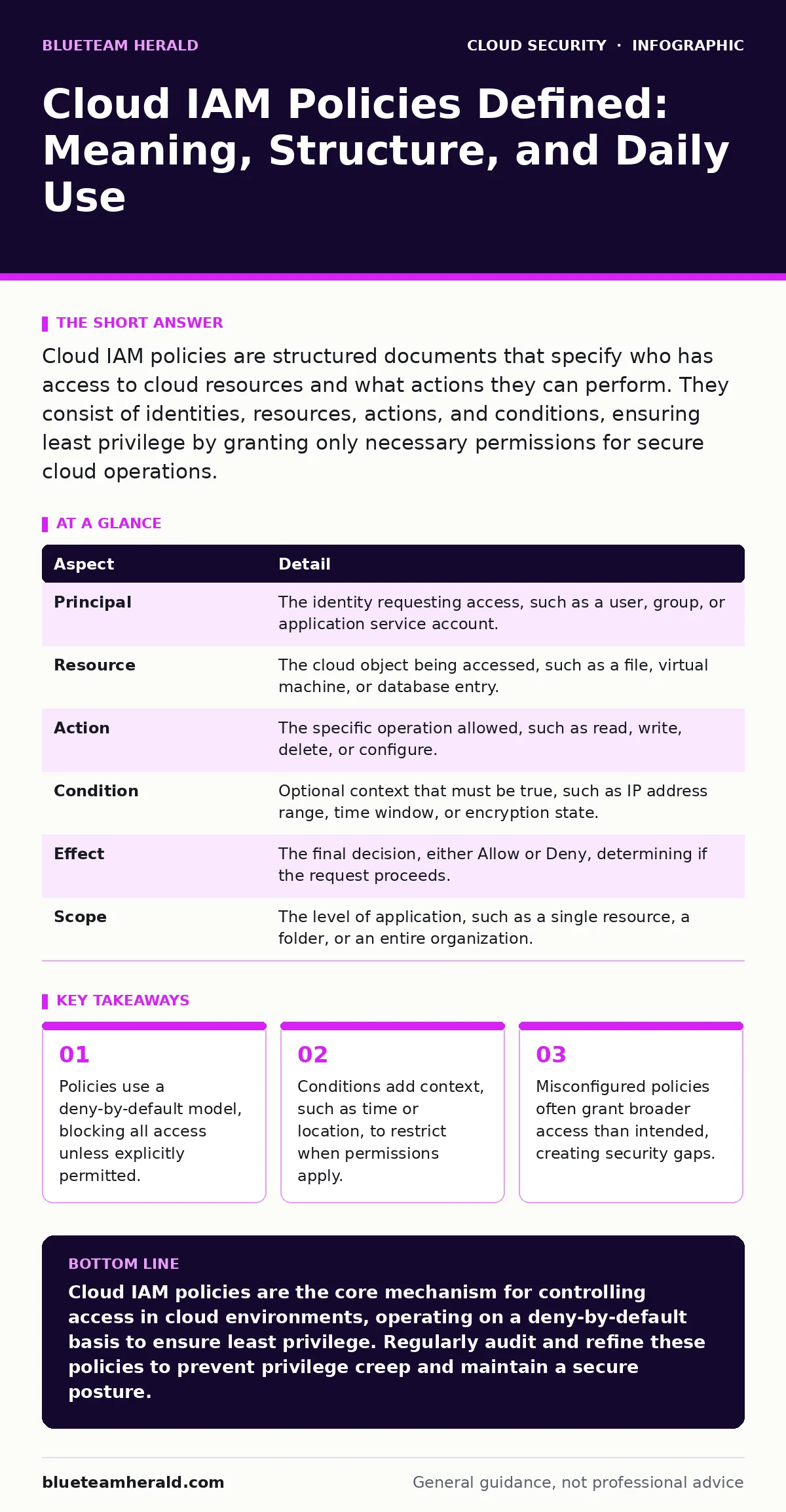
Cloud IAM policies are structured documents that specify who has access to cloud resources and what actions they can perform. They consist of identities, resources, actions, and conditions, ensuring least privilege by granting only necessary permissions for secure cloud operations.
The Digital Rulebook Analogy
Imagine a high-security research facility. You do not give every employee a master key. Instead, you issue badges that open only specific doors. A lab technician might enter the chemistry wing but cannot access the server room. The badge reader checks the badge type, the door location, and the time of day before granting entry.
Cloud Identity and Access Management (IAM) policies work similarly. They are the digital badges and door readers for your cloud environment. Instead of physical doors, you have virtual resources like storage buckets, databases, and compute instances. Instead of plastic badges, you have policy statements attached to user accounts, applications, or services.
This mechanism ensures that no entity has access unless a rule explicitly allows it. It shifts the burden from blocking bad actors to defining exactly what is allowed. This approach reduces the attack surface by eliminating unnecessary access paths.
At a Glance: Core Components
| Aspect | Detail |
|---|---|
| Principal | The identity requesting access, such as a user, group, or application service account. |
| Resource | The cloud object being accessed, such as a file, virtual machine, or database entry. |
| Action | The specific operation allowed, such as read, write, delete, or configure. |
| Condition | Optional context that must be true, such as IP address range, time window, or encryption state. |
| Effect | The final decision, either Allow or Deny, determining if the request proceeds. |
| Scope | The level of application, such as a single resource, a folder, or an entire organization. |
How Policies Function in Practice
Day-to-day, these policies operate silently in the background. When you request data from a cloud storage bucket, the cloud provider checks your identity. It then retrieves the policies attached to your account and the policies attached to the bucket. The system evaluates these rules in a specific order.
If any policy explicitly denies the action, the request fails. If no deny rule applies, the system looks for an allow rule. If it finds one that matches your identity, the resource, and the action, it grants access. If no allow rule matches, the request is denied by default.
This logic is known as explicit deny and implicit deny. Explicit deny means a rule specifically blocks an action. Implicit deny means the absence of an allow rule results in rejection. This structure prevents accidental access. It forces administrators to be deliberate about what they permit.
You use this system to manage daily operations. You assign a developer permissions to read code repositories but not to deploy production changes. You grant a backup service account permission to copy files but not to delete them. Each assignment is a small, discrete policy statement.
Where the Term Comes From
The concept of IAM predates the cloud. It originated in mainframe computing and enterprise networks. Early systems used simple access control lists (ACLs) attached to files. These lists named users and their permissions. As networks grew, managing individual ACLs became unmanageable.
Cloud providers adopted a centralized model. Instead of attaching permissions to every file, you attach policies to identities. This inversion makes scaling easier. You manage the permissions of a user, not the permissions of a thousand objects.
The term "IAM" emphasizes the identity as the anchor. In traditional security, you secured the perimeter. In cloud security, you secure the identity. The cloud has no physical perimeter. You cannot lock the doors. You must verify who is knocking and what they are allowed to do once inside.
This shift aligns with zero trust principles. Zero trust assumes breach and verifies every request. IAM policies are the enforcement mechanism. They ensure that even if an attacker steals credentials, they can only do what the policy allows.
Common Misconceptions and Pitfalls
Many administrators misunderstand how policy evaluation works. They assume that adding more allow rules strengthens security. In reality, each allow rule expands the attack surface. The goal is to minimize the number of allow rules.
Another common error is relying on group memberships alone. Administrators assign users to groups and attach policies to groups. This seems efficient. However, if a user belongs to multiple groups, their effective permissions are the union of all group policies. This can lead to privilege creep, where a user accumulates more access than needed.
You must also consider transitive permissions. If Service A can assume Role B, and Role B has access to Resource C, then Service A effectively has access to Resource C. This indirect path is often overlooked. It requires careful mapping of trust relationships.
See also: Detect Unsecured Cloud Databases: Hidden Signs and Response · Cloud Identity Governance: 8 Practices for Secure Access Control
The Hidden Cost of Complexity
As your cloud environment grows, so does the number of policies. This complexity creates a hidden cost: audit fatigue. Reviewing hundreds of policy documents is tedious and error-prone. Administrators may skip reviews or approve changes blindly.
This fatigue leads to policy drift. Over time, policies become broader to accommodate new projects or exceptions. These broad policies are hard to reverse. They embed risk into the infrastructure.
To mitigate this, you should adopt policy as code. Store policy definitions in version control systems. This allows you to track changes, review differences, and roll back errors. It also enables automated testing. You can scan policy files for known anti-patterns before deployment.
This approach aligns with infrastructure as code practices. It treats security configuration as software. You can automate the enforcement of standards. This reduces manual effort and improves consistency.
Integrating with Broader Security Controls
IAM policies do not operate in isolation. They interact with other security mechanisms. For instance, cloud logging and monitoring records every access decision. You can use these logs to detect anomalies, such as access from unusual locations.
You should also consider cloud security posture management (CSPM) tools. These tools continuously scan your environment for misconfigurations. They can identify policies that grant excessive permissions or lack conditions. This helps you maintain compliance and reduce risk.
However, no tool replaces careful policy design. Insecure cloud APIs can expose data regardless of IAM settings if the API itself is vulnerable. OAuth token abuse can allow attackers to impersonate users if tokens are mishandled. These threats require defense in depth.
IAM is the foundation, but it is not the entire structure. You must layer it with network controls, encryption, and application security. This layered approach ensures that a failure in one control does not compromise the entire system.
Practical Steps for Implementation
Start by auditing your current permissions. Identify which identities have access to which resources. Look for wildcards in actions or resources. These are common sources of over-permission.
Next, implement the principle of least privilege. Grant only the permissions needed for a specific task. Use conditions to restrict access further. For example, limit access to specific IP ranges or require multi-factor authentication for sensitive actions.
Regularly review and update policies. Permissions should change as roles change. An employee who moves from development to operations should lose development access. Automate this process where possible.
Finally, test your policies. Use simulation tools to verify that they behave as expected. Check for unintended access paths. This proactive testing helps you catch errors before they cause incidents.
Key takeaways
- Policies use a deny-by-default model, blocking all access unless explicitly permitted.
- Conditions add context, such as time or location, to restrict when permissions apply.
- Misconfigured policies often grant broader access than intended, creating security gaps.
Cloud IAM policies are the core mechanism for controlling access in cloud environments, operating on a deny-by-default basis to ensure least privilege. Regularly audit and refine these policies to prevent privilege creep and maintain a secure posture.
Frequently asked questions
What is the difference between IAM roles and IAM policies?
IAM policies are documents that define permissions, while IAM roles are identities that can assume those policies. Roles allow temporary access and delegation, whereas policies are the rules themselves.
Can I use IAM policies to control access to on-premises resources?
Standard cloud IAM policies only control access to cloud resources. To manage on-premises access, you need a federated identity system or a hybrid IAM solution that bridges cloud and local directories.
How do I prevent privilege escalation in cloud environments?
Use strict least privilege policies, avoid wildcard permissions, and regularly audit access. Monitor for unusual activity and use **cloud privilege escalation** detection tools to identify attempts to gain higher access.
Are IAM policies sufficient to prevent data breaches?
No. IAM policies control access but do not protect against all threats. You must also secure data at rest and in transit, monitor for **open security groups**, and protect against **OAuth token abuse** for comprehensive security.
How this guide was produced: written by the BlueTeam Herald editorial team with AI assistance, checked against the public references listed below, and reviewed when the facts change. See our editorial policy or report an error.