Cloud Identity Governance: 8 Practices for Secure Access Control
Identity governance fails when teams manage access statically, ignoring the silent accumulation of privileges that outlives the original business need.

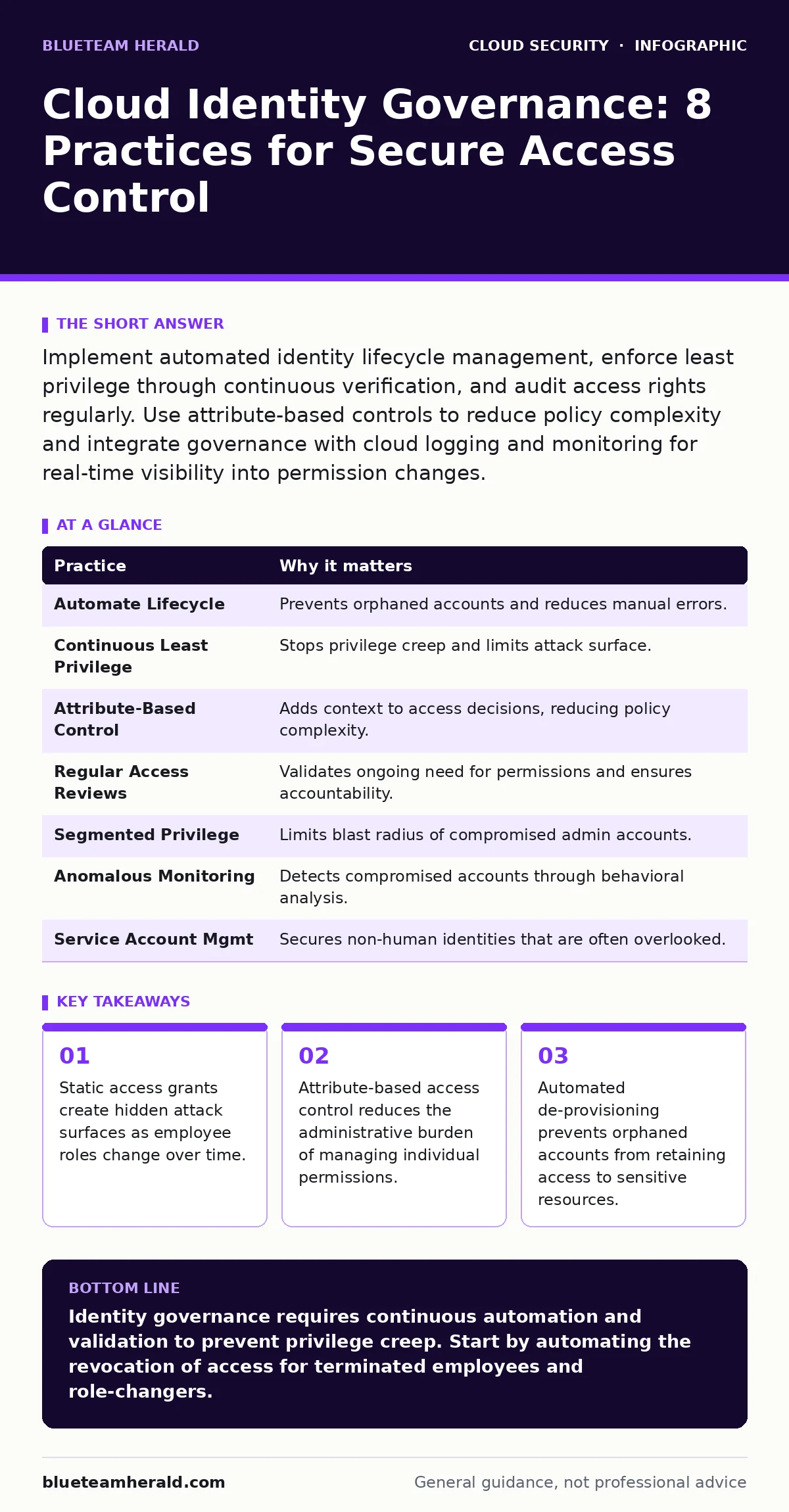
Implement automated identity lifecycle management, enforce least privilege through continuous verification, and audit access rights regularly. Use attribute-based controls to reduce policy complexity and integrate governance with cloud logging and monitoring for real-time visibility into permission changes.
The Hidden Cost of Static Permissions
Imagine a developer who needs temporary access to a production database to fix a critical bug. You grant that access, but the ticket closes and the work ends. The permission remains. This is the core failure of static identity management. In cloud environments, where resources scale dynamically, static permissions become a liability. They do not reflect the current reality of who needs what.
This drift creates a gap between policy and practice. You might think your access controls are tight, but the actual state is loose. This discrepancy is where attackers find footholds. They look for accounts with elevated privileges that no longer have a legitimate business reason for that access.
1. Automate Identity Lifecycle Management
Manual provisioning is slow and error-prone. It relies on humans remembering to revoke access when it is no longer needed. Automation connects your identity provider to your cloud resources. When an employee’s status changes in your HR system, the automation triggers the corresponding cloud permission change.
This reduces the window of exposure for former employees or role-changers. It ensures that access rights align with current employment status. The trade-off is the initial complexity of integrating systems, but the long-term security gain is significant.
Tip: Map HR status changes directly to cloud permission actions. Ensure that termination triggers immediate revocation of all cloud access tokens and session keys.
2. Enforce Least Privilege Continuously
Least privilege means granting only the permissions necessary to perform a specific task. Many teams implement this at the start but never revisit it. Permissions accumulate over time, a phenomenon known as privilege creep. A user who starts with read-only access might gain write access for a project, then admin access for an emergency, and keep all three.
Continuous enforcement checks if the granted permissions are still justified. It does not just grant minimal access; it validates ongoing need. This prevents the silent expansion of user capabilities.
Tip: Use just-in-time access mechanisms. Grant elevated privileges only for a defined time window, after which they automatically expire. This limits the impact of compromised credentials.
3. Implement Attribute-Based Access Control
Role-based access control assigns permissions based on job titles. This works well in stable organizations but fails in dynamic cloud environments. Attribute-based access control uses multiple factors, such as department, location, time of day, and device health, to make access decisions.
This adds granularity without creating a new role for every unique scenario. It allows you to write policies that are context-aware. For example, a user can access data only if they are on a corporate network and using a compliant device.
Tip: Define attributes that reflect risk, not just identity. Include device posture and network location in your access policies to reduce the likelihood of unauthorized access from compromised endpoints.
4. Conduct Regular Access Reviews
Access reviews are formal processes where managers verify that their team members still need their current permissions. These reviews should be frequent and mandatory. If you skip them, you rely on the assumption that permissions are correct, which is rarely true.
Reviews shift the responsibility for access validation to the business owners. They know who needs what better than the security team. This also creates an audit trail for compliance purposes.
Tip: Automate the review request process. Send notifications to managers with a list of users and their permissions, requiring explicit approval or revocation for each entry.
See also: Detect Unsecured Cloud Databases: Hidden Signs and Response · 2FA vs MFA: Which Authentication Layer Fits Your Security Model?
5. Segment Privileged Access
Not all users need the same level of access. Privileged accounts, such as administrators, require stricter controls. Segmentation limits the blast radius if a privileged account is compromised. An attacker who gains access to a standard user account should not easily pivot to an admin account.
This separation ensures that administrative functions are isolated. It reduces the number of accounts with broad permissions. It also makes it easier to detect unusual activity because privileged accounts have a distinct behavioral baseline.
Tip: Use separate identity providers or distinct security groups for administrative accounts. Never use the same credentials for daily tasks and administrative duties.
6. Monitor for Anomalous Behavior
Identity governance is not just about setting rules; it is about observing outcomes. Anomalous behavior detection looks for patterns that deviate from the norm. For example, a user logging in from a new country at an unusual time might indicate a compromised account.
This requires robust cloud logging and monitoring. You need to capture identity events and correlate them with resource access. Without this data, you are blind to what is happening after access is granted.
Tip: Configure alerts for high-risk actions, such as permission changes or access from unfamiliar locations. Investigate these alerts promptly to determine if they are legitimate or malicious.
7. Manage Service Account Permissions
Service accounts are used by applications and scripts to access cloud resources. They are often overlooked in identity governance because they do not have human users. However, they can have excessive permissions and are frequent targets for attackers.
Service accounts should follow the same least privilege principles as human accounts. They should have unique identities, not shared credentials. Regularly review their permissions and ensure they are only used for their intended purpose.
Tip: Rotate service account credentials regularly. Use short-lived tokens where possible to limit the window of opportunity for misuse.
8. Integrate with Cloud Detection and Response
Identity governance does not exist in a vacuum. It must work with your broader security operations. Cloud detection and response tools can identify when identity-based attacks are occurring. They can trigger automated responses, such as blocking access or forcing re-authentication.
This integration closes the loop between policy and enforcement. It ensures that violations are detected and mitigated in real time. It also provides insights into the effectiveness of your governance policies.
Tip: Ensure that your identity governance platform shares data with your security orchestration tools. This allows for automated incident response based on identity anomalies.
| Practice | Why it matters |
|---|---|
| Automate Lifecycle | Prevents orphaned accounts and reduces manual errors. |
| Continuous Least Privilege | Stops privilege creep and limits attack surface. |
| Attribute-Based Control | Adds context to access decisions, reducing policy complexity. |
| Regular Access Reviews | Validates ongoing need for permissions and ensures accountability. |
| Segmented Privilege | Limits blast radius of compromised admin accounts. |
| Anomalous Monitoring | Detects compromised accounts through behavioral analysis. |
| Service Account Mgmt | Secures non-human identities that are often overlooked. |
| Detection Integration | Enables real-time response to identity-based threats. |
The Role of Policy and Process
Technical controls are only as good as the policies that support them. You need clear documentation of who is responsible for what. This includes defining how permissions are requested, approved, and revoked.
This process should be integrated into your broader cloud security strategy. It should align with related areas like cloud IAM policies and cloud privilege escalation prevention. By treating identity as a continuous process rather than a one-time setup, you build a more resilient security posture.
Key takeaways
- Static access grants create hidden attack surfaces as employee roles change over time.
- Attribute-based access control reduces the administrative burden of managing individual permissions.
- Automated de-provisioning prevents orphaned accounts from retaining access to sensitive resources.
Identity governance requires continuous automation and validation to prevent privilege creep. Start by automating the revocation of access for terminated employees and role-changers.
Frequently asked questions
How often should access reviews be conducted?
Conduct access reviews at least quarterly for standard users and monthly for privileged accounts. High-risk environments may require continuous or weekly reviews.
What is the difference between RBAC and ABAC?
Role-Based Access Control assigns permissions based on job roles, while Attribute-Based Access Control uses multiple attributes like location and device health to make dynamic access decisions.
How do I handle service account security?
Treat service accounts like human accounts. Use unique identities, enforce least privilege, rotate credentials regularly, and monitor their activity for anomalies.
Can automation replace manual access reviews?
Automation can facilitate reviews by notifying managers and tracking responses, but human judgment is still required to validate the business need for access.
How this guide was produced: written by the BlueTeam Herald editorial team with AI assistance, checked against the public references listed below, and reviewed when the facts change. See our editorial policy or report an error.