Cloud Privilege Escalation: Risks and Protections for Small Teams
Small teams face disproportionate risk because default cloud settings grant excessive administrative rights to every new user account automatically.

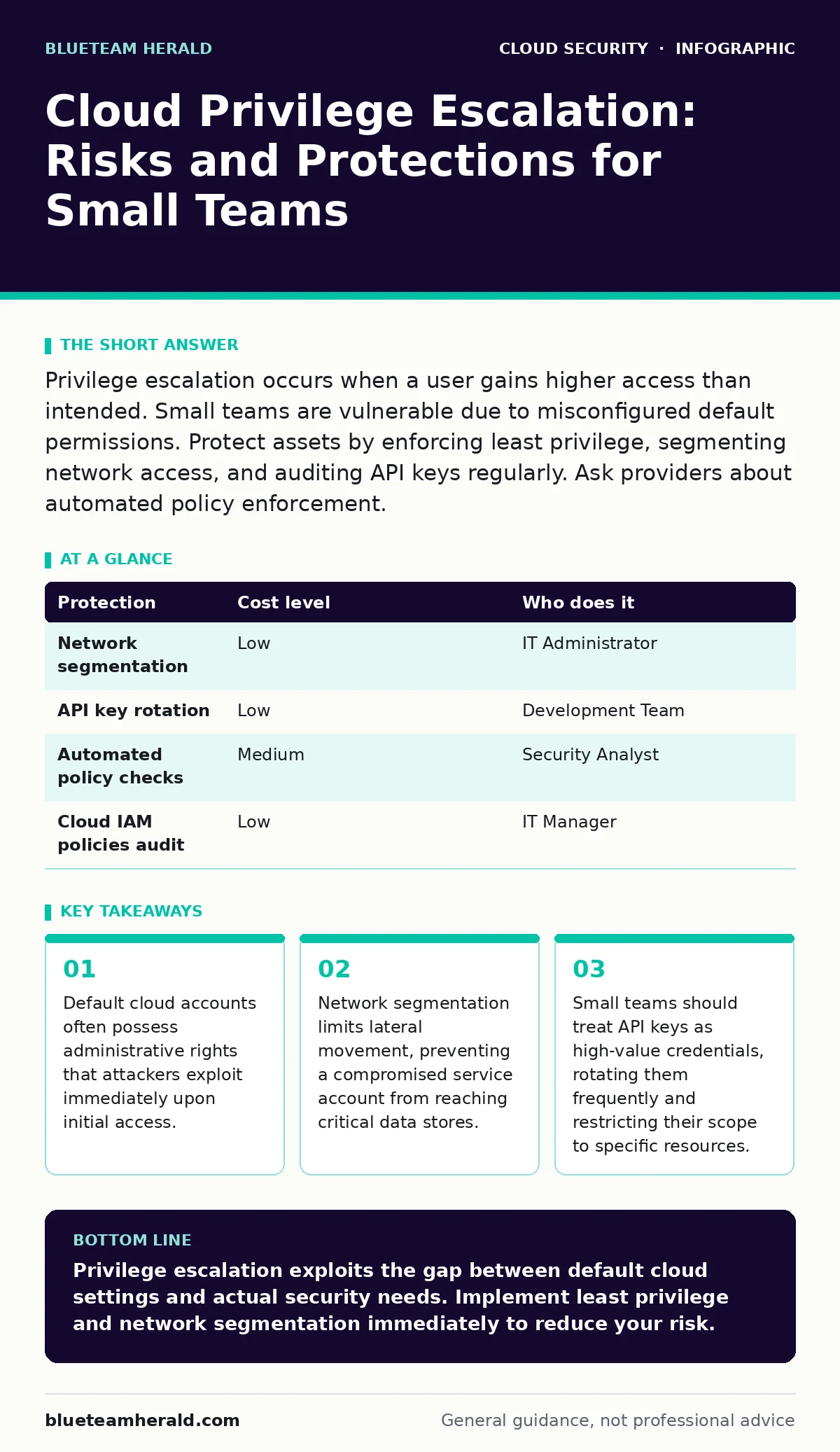
Privilege escalation occurs when a user gains higher access than intended. Small teams are vulnerable due to misconfigured default permissions. Protect assets by enforcing least privilege, segmenting network access, and auditing API keys regularly. Ask providers about automated policy enforcement.
The Default Administrative Trap
Most cloud providers create new accounts with broad permissions to simplify onboarding. This convenience becomes a liability when a single credential is stolen. Attackers do not need to break into your core systems if the entry point already has the keys to the kingdom.
In small organizations, role separation often collapses. One person handles development, deployment, and monitoring. This concentration of duty means that one compromised token grants access to every environment. You must assume that any user account can be compromised. Design your architecture to limit what that account can do once inside.
Why Small Teams Are Exposed
Small organizations often lack dedicated security engineers. They rely on cloud defaults to save time and money. These defaults prioritize ease of use over security. The result is a flat permission structure where every service account can read every other service.
This flat structure eliminates the concept of least privilege. Least privilege is the principle of granting only the minimum access necessary to perform a task. Without it, a compromised database user can pivot to the network infrastructure.
Another hidden cost is the lack of visibility. Without specialized tools, you may not know which accounts have admin rights. You might believe you have restricted access, but an old service account remains active with full privileges. This gap between perceived and actual security is where most breaches occur.
Understanding the Escalation Mechanism
Privilege escalation in the cloud differs from traditional on-premise attacks. On a local server, an attacker exploits a software bug to gain root access. In the cloud, the attacker exploits a configuration error or a policy mistake.
They look for permissions that allow them to modify identity policies. If a user can edit their own permissions, they can grant themselves administrative rights. This is a common misconfiguration in identity and access management (IAM) systems.
Attackers also exploit insecure cloud APIs. These are the interfaces that allow software to interact with cloud resources. If an API endpoint is publicly accessible without proper authentication, an attacker can manipulate it to elevate their privileges. You must audit these endpoints regularly to ensure they require valid tokens.
Low-Cost Protections for Limited Budgets
You do not need expensive enterprise tools to secure your cloud environment. Basic architectural changes provide significant protection. Start by implementing strict network segmentation.
Segmentation divides your cloud environment into isolated zones. If an attacker compromises one zone, they cannot easily move to others. This limits the blast radius of a breach. Use security groups to control traffic between these zones.
Another low-cost measure is regular key rotation. API keys and access tokens should be changed periodically. This reduces the window of opportunity for an attacker who has stolen a key. Combine this with automated alerts for unusual API activity.
| Protection | Cost level | Who does it |
|---|---|---|
| Network segmentation | Low | IT Administrator |
| API key rotation | Low | Development Team |
| Automated policy checks | Medium | Security Analyst |
| Cloud IAM policies audit | Low | IT Manager |
Auditing Identity and Access
Identity is the new perimeter. In the cloud, the network boundary is porous, but identity controls are strict. You must enforce cloud identity governance practices. This involves regularly reviewing who has access to what.
Remove access for employees who have left the company. Disable service accounts that are no longer used. Unused accounts are low-hanging fruit for attackers. They are rarely monitored, so a compromise goes unnoticed for longer.
Use cloud IAM policies to define granular permissions. Instead of giving a user "Admin" rights, give them "Read-Only" access to specific folders. This requires more initial setup but prevents catastrophic escalation. For deeper insights on managing these policies, see our guide on cloud IAM policies.
See also: Cloud-Native Application Protection Platform Misconceptions · Hybrid Cloud Advantages and Disadvantages: Risks and Controls
What to Ask Your IT Provider
If you outsource your cloud management, you must verify their security practices. Many providers focus on uptime and cost, neglecting privilege management. Ask specific questions to uncover gaps.
- Do you enforce least privilege by default for all new accounts?
- How do you detect and respond to anomalous permission changes?
- What is your process for rotating API keys and access tokens?
- Do you perform regular cloud penetration testing to identify escalation paths?
For continuous monitoring, consider cloud security posture management (CSPM) tools. These tools scan your environment for misconfigurations and policy violations. They provide a dashboard view of your security health. You can learn more about selecting these tools in our cloud security posture management (CSPM) guide.
Also, ask about their incident response plan. If a privilege escalation occurs, how quickly can they contain it? Do they have cloud detection and response capabilities in place? For more on this, read our cloud detection and response guide.
Integrating Security Early
Security should not be an afterthought. Integrate security checks into your development pipeline. This practice, known as shift-left security, catches errors before they reach production.
Automate policy checks during code deployment. If a developer attempts to deploy code with overly permissive settings, the pipeline should reject it. This prevents human error from becoming a security incident.
Regularly review your use of open security groups. These are network rules that allow unrestricted traffic. They are often left open for testing but forgotten in production. Close these gaps to reduce your attack surface.
Key takeaways
- Default cloud accounts often possess administrative rights that attackers exploit immediately upon initial access.
- Network segmentation limits lateral movement, preventing a compromised service account from reaching critical data stores.
- Small teams should treat API keys as high-value credentials, rotating them frequently and restricting their scope to specific resources.
Privilege escalation exploits the gap between default cloud settings and actual security needs. Implement least privilege and network segmentation immediately to reduce your risk.
Frequently asked questions
What is the biggest risk of cloud privilege escalation?
The primary risk is that a single compromised account can control your entire cloud environment, leading to data theft or ransomware.
How often should I rotate API keys?
Rotate keys every ninety days or immediately if suspicious activity is detected. Shorter intervals increase security but require more operational overhead.
Can small teams afford cloud security tools?
Yes. Many providers offer free tiers for basic monitoring. Focus on built-in features like logging and alerting before purchasing third-party solutions.
Who is responsible for cloud security?
Security is a shared responsibility. The provider secures the infrastructure, but you are responsible for securing your data, access, and configurations.
How this guide was produced: written by the BlueTeam Herald editorial team with AI assistance, checked against the public references listed below, and reviewed when the facts change. See our editorial policy or report an error.