Business Email Compromise Example: How Attackers Bypass Trust
Attackers exploit organizational hierarchy and urgency rather than technical vulnerabilities to trick employees into moving money or data.

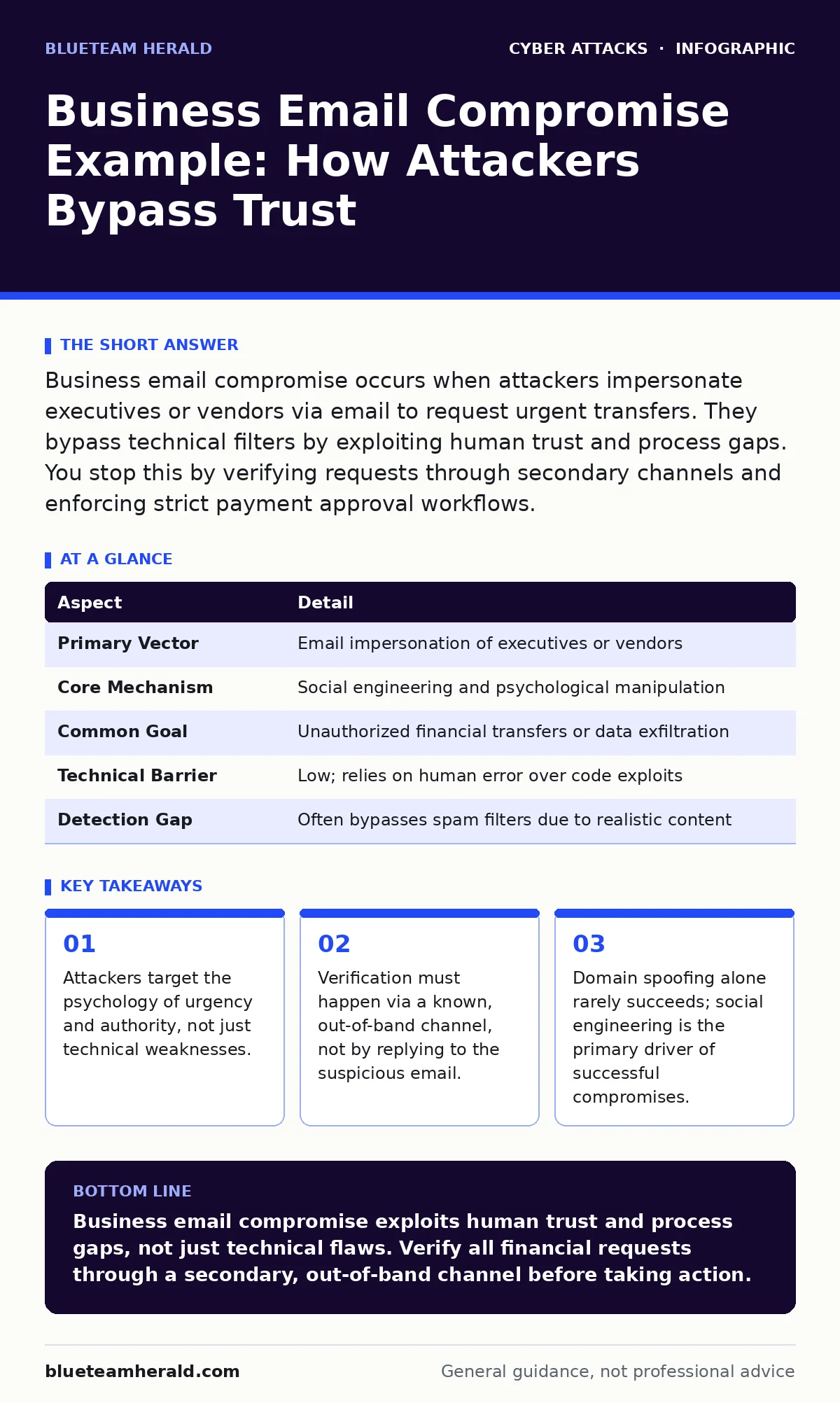
Business email compromise occurs when attackers impersonate executives or vendors via email to request urgent transfers. They bypass technical filters by exploiting human trust and process gaps. You stop this by verifying requests through secondary channels and enforcing strict payment approval workflows.
The Anatomy of a Business Email Compromise Example
Imagine a junior accountant receives an email from the company CEO. The message is brief, urgent, and requests a wire transfer to a new vendor to close a confidential deal. The email arrives in the inbox, passes spam filters, and appears legitimate. This scenario illustrates business email compromise. It is a fraud scheme where attackers manipulate employees into transferring funds or sensitive data. The attacker does not necessarily hack the email server. They manipulate the human element within the organization.
Business email compromise relies on social engineering. The attacker studies the company’s structure to identify key decision-makers. They then mimic the communication style of a trusted figure. The goal is to create a sense of urgency that bypasses normal verification procedures. The victim feels pressured to act quickly, often skipping standard checks. This pressure is the core mechanism of the attack.
| Aspect | Detail |
|---|---|
| Primary Vector | Email impersonation of executives or vendors |
| Core Mechanism | Social engineering and psychological manipulation |
| Common Goal | Unauthorized financial transfers or data exfiltration |
| Technical Barrier | Low; relies on human error over code exploits |
| Detection Gap | Often bypasses spam filters due to realistic content |
How the Attack Chain Unfolds
The attack begins with reconnaissance. The attacker gathers information from public sources like LinkedIn, company websites, and press releases. They identify reporting lines and communication styles. Next, they set up a look-alike domain. This domain differs from the real one by only one or two characters. For instance, an attacker might register a domain that swaps a letter in the company name.
The attacker then sends the fraudulent email. They may use email spoofing techniques to make the sender address appear correct. However, modern email authentication often blocks simple spoofing. Therefore, attackers increasingly compromise legitimate accounts. They gain access to a real employee’s email through phishing or credential stuffing. From this compromised account, they send messages that look entirely normal.
Who Bears the Risk
This scheme affects organizations of all sizes. Small businesses are often targeted because they have fewer controls. Large enterprises are targeted because the potential payout is higher. The finance department is the primary target. Accountants and procurement staff handle payments and have the authority to move money. They are trained to be efficient, which attackers exploit.
Executives are also at risk. Attackers may impersonate them to trick their subordinates. This is known as CEO fraud. The subordinate fears disappointing the boss and acts without verification. Suppliers and customers are collateral damage. Attackers may change payment details in vendor portals to divert invoices. This disrupts business relationships and causes financial loss.
What People Usually Get Wrong
Many organizations believe that technical controls alone will stop these attacks. They install advanced spam filters and train staff to spot typos. This approach fails because sophisticated attacks use clean, grammatically correct emails. The threat is not a broken filter; it is a broken process. Trusting the email interface is the mistake. Email is an asynchronous communication tool. It lacks immediate verification.
Another common error is assuming that internal emails are safe. If an attacker compromises a legitimate account, the email originates from within the organization. Internal security tools often trust internal traffic. This creates a blind spot. The attacker uses the victim’s own trust in colleagues to bypass suspicion. The assumption that "internal means safe" is dangerous.
Verification Protocols That Work
You must change how your organization handles financial requests. Implement a strict policy for verifying any change in payment details. This verification must occur via a secondary channel. Do not reply to the email. Do not click links in the email. Call the person using a known, trusted phone number. This number should be from your internal directory, not from the email signature.
This process adds friction, but it is necessary. Urgency is the attacker’s weapon. Verification is your shield. Train staff to expect friction. If a request is urgent, the need for verification is higher, not lower. Document every verification step. This creates an audit trail and reinforces the habit.
See also: CEO Fraud Explained: How Impersonation Attacks Bypass Human Trust
Technical Defenses and Their Limits
Technical controls support the process but do not replace it. Implement SPF, DKIM, and DMARC records. These protocols help verify that an email actually came from the claimed domain. They reduce the success rate of domain spoofing. However, they do not protect against compromised accounts. If an attacker logs into a real account, SPF and DKIM will pass.
Use phishing-resistant authentication for all email accounts. Standard passwords and SMS-based two-factor authentication are vulnerable. Phishing-resistant methods, such as FIDO2 security keys, ensure that credentials cannot be stolen via phishing. This reduces the risk of account takeover. It does not stop an attacker who uses a look-alike domain to send a new email.
Building a Resilient Culture
Security is a cultural issue as much as a technical one. Leaders must model the correct behavior. If executives verify requests, staff will follow suit. Make it safe to ask questions. Employees should not fear looking incompetent for double-checking a request. Encourage a culture of healthy skepticism.
Regularly review and update your policies. Attackers adapt their tactics. What worked last year may fail today. Conduct tabletop exercises to test your response. Simulate a business email compromise scenario. See how your team reacts under pressure. Identify gaps in the verification process. Fix them before an attacker exploits them.
Remember that romance scams and gift card scams use similar psychological tactics. They exploit trust and urgency. Understanding these broader social engineering patterns helps you recognize the signs of business email compromise. The underlying principle is the same: do not act on unsolicited requests that create pressure.
Key takeaways
- Attackers target the psychology of urgency and authority, not just technical weaknesses.
- Verification must happen via a known, out-of-band channel, not by replying to the suspicious email.
- Domain spoofing alone rarely succeeds; social engineering is the primary driver of successful compromises.
Business email compromise exploits human trust and process gaps, not just technical flaws. Verify all financial requests through a secondary, out-of-band channel before taking action.
Frequently asked questions
How can I tell if an email is part of a business email compromise?
Look for urgent requests for money or data, especially from executives or vendors. Check for subtle changes in email addresses or unexpected changes in payment instructions.
Does having a spam filter stop business email compromise?
No. Spam filters block obvious threats, but sophisticated attacks use legitimate accounts or look-alike domains that bypass filters. Human verification is required.
What is the difference between phishing and business email compromise?
Phishing is the method used to gain access or trick a user. Business email compromise is the specific outcome where financial fraud or data theft occurs via email manipulation.
Should I block all emails from external domains?
No. This is impractical for most businesses. Instead, implement strict verification policies for any external request involving money or sensitive data.
How this guide was produced: written by the BlueTeam Herald editorial team with AI assistance, checked against the public references listed below, and reviewed when the facts change. See our editorial policy or report an error.