Early Warning Signs of Email Account Compromise
Attackers often leave the account active to harvest contacts, making silent forwarding rules and missing sent items the most reliable indicators of a breach.

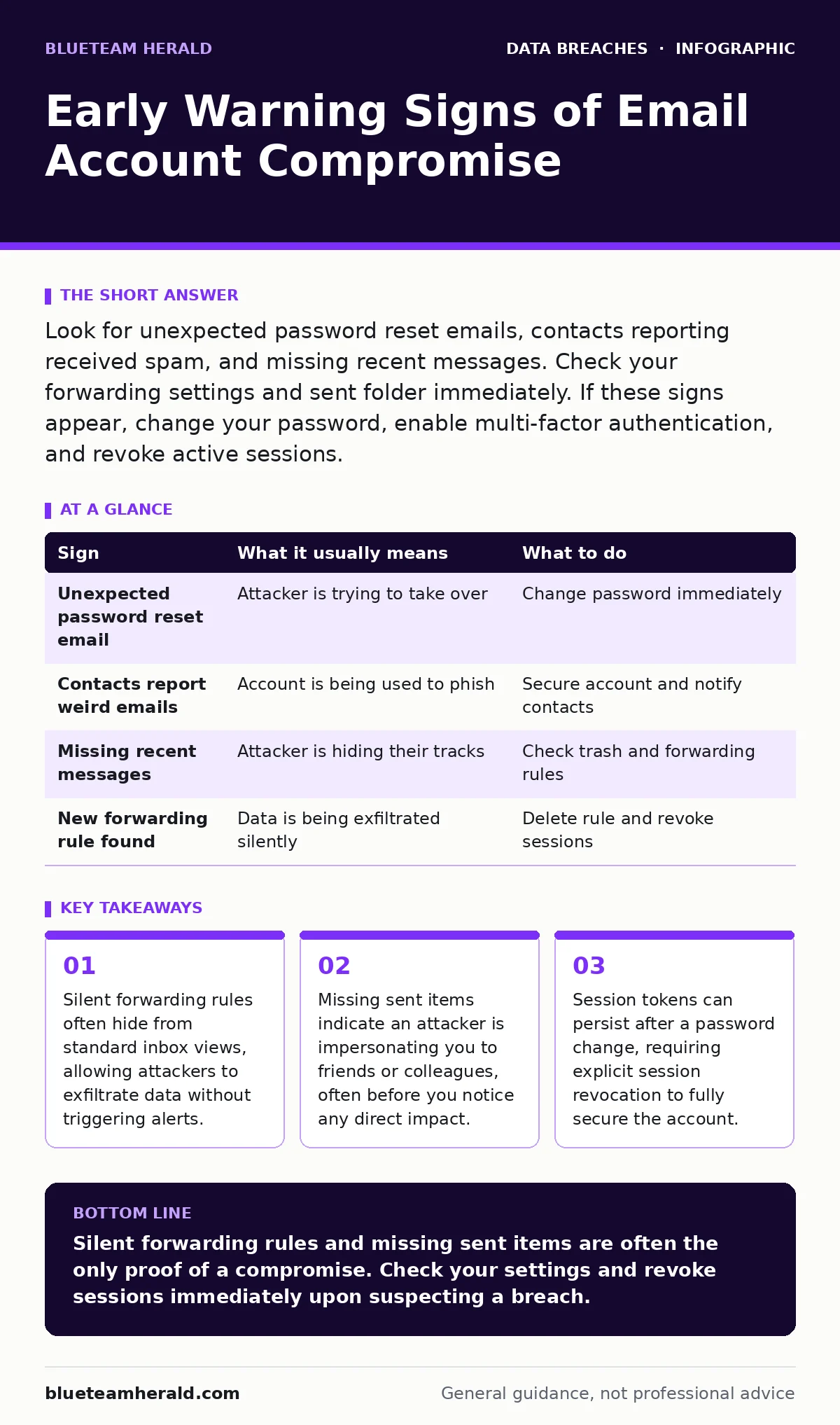
Look for unexpected password reset emails, contacts reporting received spam, and missing recent messages. Check your forwarding settings and sent folder immediately. If these signs appear, change your password, enable multi-factor authentication, and revoke active sessions.
The Obvious First Signals
You usually notice a compromise when the account behaves strangely. The most common initial sign is receiving a password reset email you did not request. This happens when an attacker attempts to lock you out or has already changed the credentials. Another clear indicator is a sudden influx of bounce-back notifications for messages you never sent. These replies confirm that someone is using your address to distribute spam or phishing attempts.
Check your login history if your provider offers it. Look for sign-ins from unfamiliar locations or devices. While VPNs and remote work can cause false positives, a login from a country you have never visited is a strong red flag. Do not ignore these alerts. They are the system telling you that access has been granted to an unauthorized party.
The Silent Indicators
Some signs are far harder to spot because they leave no immediate trace in your inbox. Attackers often configure forwarding rules to send copies of your incoming mail to their own address. This allows them to read your sensitive correspondence without logging into your account directly. Standard inbox views do not always display these rules. You must actively check your account settings to find them.
Another subtle sign is the disappearance of recent emails. Attackers may delete messages from your inbox to hide their activity or to prevent you from seeing their fraudulent requests. If you recall receiving a message that is now missing, suspect compromise. Also, watch for contacts asking why you sent them a strange link. This social feedback is often the first proof that an attacker has successfully impersonated you.
Decoding the Evidence
Understanding what each sign means helps you prioritize your response. A password reset request means someone knows your username and is trying to gain entry. Missing emails suggest active tampering. Forwarding rules indicate long-term espionage. Use the table below to match the sign you see with the correct action.
| Sign | What it usually means | What to do |
|---|---|---|
| Unexpected password reset email | Attacker is trying to take over | Change password immediately |
| Contacts report weird emails | Account is being used to phish | Secure account and notify contacts |
| Missing recent messages | Attacker is hiding their tracks | Check trash and forwarding rules |
| New forwarding rule found | Data is being exfiltrated silently | Delete rule and revoke sessions |
Immediate Containment Steps
When you spot a sign, act quickly to stop the bleeding. First, change your password to a complex, unique string. Do not reuse passwords from other sites. Second, enable multi-factor authentication if it is not already on. This adds a second layer of defense that a stolen password alone cannot bypass. Third, log out of all active devices. This invalidates existing session tokens, forcing anyone else logged in to re-authenticate.
Check your forwarding settings and filters thoroughly. Delete any rules you did not create. Look for filters that automatically delete or archive specific types of messages. Attackers use these to hide their emails from your view. Clear your browser cache and cookies on the device you use to access the account. This removes any lingering credentials or session data that could be hijacked again.
The Hidden Cost of Persistence
Changing your password is not always enough. Many email services use session tokens to keep you logged in. If an attacker has an active session, they may remain logged in even after you change your password. This is why revoking all active sessions is a critical step. Without this, the attacker continues to have access until their session expires naturally, which could take days or weeks.
Some attackers install malware payloads on your device to capture keystrokes or screen data. If you suspect this, a simple password change will not help. The malware will capture your new credentials. You may need to run a thorough scan or reinstall your operating system. For severe cases, consider the principles of digital forensics to understand how the breach occurred and ensure it does not happen again.
See also: Detect Romance Scams in Logs: Signs, Tools, and Blind Spots
Preventing Future Access
Once you have secured the account, focus on prevention. Review your recovery options. Attackers often target recovery email addresses and phone numbers to bypass security. Ensure these contact methods are secure and up to date. Do not store recovery codes in plain text files on your computer. Use a password manager or a secure offline method.
Educate your contacts about the compromise. Send a clear message that your account was hacked and that any recent requests for money or data were fraudulent. This reduces the success rate of the social engineering attacks the attacker is likely running. Finally, review your connected apps and permissions. Revoke access for any third-party applications you do not recognize or no longer use. These apps can sometimes serve as a backdoor into your account.
Long-Term Security Hygiene
Maintaining security is an ongoing process. Regularly review your account activity and settings. Make it a habit to check for new forwarding rules or unfamiliar devices every few months. This proactive approach helps you catch compromises early, before they cause significant damage. Also, keep your software and browsers updated. Outdated software can contain vulnerabilities that attackers exploit to gain initial access.
If you manage multiple accounts, consider the implications of vendor risk management. A breach in a less critical account can provide credentials that attackers use to attack more valuable targets. Treat every account with the same level of care. Strong, unique passwords and multi-factor authentication are your best defenses against this type of lateral movement.
Key takeaways
- Silent forwarding rules often hide from standard inbox views, allowing attackers to exfiltrate data without triggering alerts.
- Missing sent items indicate an attacker is impersonating you to friends or colleagues, often before you notice any direct impact.
- Session tokens can persist after a password change, requiring explicit session revocation to fully secure the account.
Silent forwarding rules and missing sent items are often the only proof of a compromise. Check your settings and revoke sessions immediately upon suspecting a breach.
Frequently asked questions
How do I know if my email is being forwarded?
Check your account settings for forwarding rules or filters. Look for destinations you do not recognize and delete them immediately.
Should I delete old emails to secure my account?
No, deleting emails does not stop an attacker. Focus on changing passwords, enabling MFA, and revoking active sessions.
Can an attacker hide their login history?
Most providers keep a log of login attempts. However, attackers may not leave a trace if they use a stolen session token rather than logging in with a password.
Is changing my email address enough?
Changing your address helps, but you must also update recovery options and ensure no forwarding rules remain. Old addresses may still be targeted.
How this guide was produced: written by the BlueTeam Herald editorial team with AI assistance, checked against the public references listed below, and reviewed when the facts change. See our editorial policy or report an error.