Stop Oversharing on Social Media: A Prevention Checklist
Public posts create a permanent digital fingerprint that attackers combine with other leaks to bypass multi-factor authentication and impersonate you.
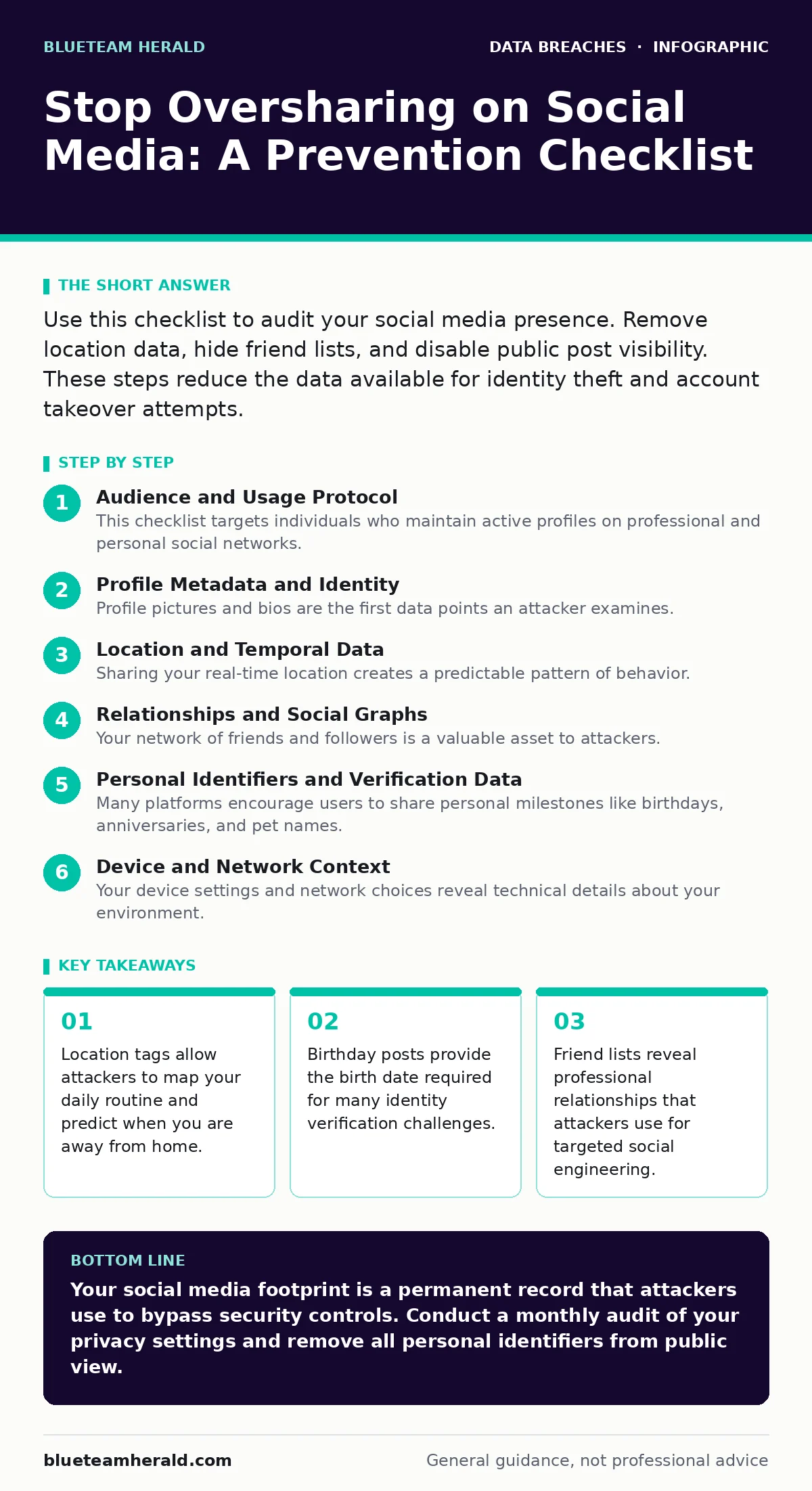
Use this checklist to audit your social media presence. Remove location data, hide friend lists, and disable public post visibility. These steps reduce the data available for identity theft and account takeover attempts.
Audience and Usage Protocol
This checklist targets individuals who maintain active profiles on professional and personal social networks. You use this list to systematically reduce the amount of personal data visible to the public. Attackers aggregate small pieces of information from multiple sources to build a complete profile of you. This process is known as open-source intelligence or OSINT. By limiting public visibility, you increase the effort required for an attacker to gather enough data to compromise your accounts or identity. Review your settings every 6 months. Social platforms frequently change default privacy settings to favor visibility over privacy.
Profile Metadata and Identity
Profile pictures and bios are the first data points an attacker examines. They look for visual clues that reveal your workplace, school, or family members. A simple profile picture may contain metadata or background details that betray your current location. You must treat every public-facing element as potential evidence in a future attack.
- Use a unique profile image: Prevents reverse image searches from linking your social accounts to other sites.
- Remove employer name from bio: Stops attackers from targeting your company’s internal systems via you.
- Delete school or alma mater: Reduces the risk of attackers guessing security answers based on education history.
- Hide follower and following counts: Prevents attackers from identifying your social graph and influence level.
Location and Temporal Data
Sharing your real-time location creates a predictable pattern of behavior. Attackers use this pattern to determine when you are not at home or work. This information is valuable for physical theft and for timing social engineering attacks when you are likely to be distracted. Even old posts with location tags can reveal your permanent residence. You should assume that any location data posted is permanent and searchable.
- Disable automatic location tagging: Prevents apps from embedding GPS coordinates in your photos and posts.
- Remove check-ins from past posts: Stops attackers from mapping your historical routines and home address.
- Avoid posting travel itineraries: Prevents thieves from targeting your empty home while you are away.
- Blur landmarks in background photos: Hides visual cues that reveal your specific neighborhood or city.
Relationships and Social Graphs
Your network of friends and followers is a valuable asset to attackers. They analyze these connections to identify high-value targets within your circle. This technique is called social mapping. By understanding who you know, an attacker can craft highly personalized phishing messages that appear trustworthy. They may pose as a friend or colleague to bypass your skepticism. Limiting visibility of your connections disrupts this mapping process.
- Hide friend and follower lists: Prevents attackers from identifying your professional and personal contacts.
- Remove tags in photos: Stops others from linking your profile to their public posts.
- Disable "people you may know": Reduces the data the platform uses to suggest connections to others.
- Audit shared group memberships: Removes indirect links to communities that reveal your interests and habits.
Personal Identifiers and Verification Data
Many platforms encourage users to share personal milestones like birthdays, anniversaries, and pet names. These details are often used as security questions for account recovery. If an attacker knows your pet’s name, they can bypass security checks on your email or financial accounts. This is a common vector for email account compromise. You must treat all personal milestones as sensitive data that should never be public.
- Remove birthday from public view: Prevents attackers from using your birth date for identity verification.
- Hide anniversary dates: Stops attackers from guessing security answers related to relationship milestones.
- Delete pet names from bios: Removes common answers to security questions used by banks and services.
- Avoid posting ID documents: Prevents immediate theft of your government-issued identification numbers.
See also: Customer Data Exposure: How to Find and Fix Hidden Leaks
Device and Network Context
Your device settings and network choices reveal technical details about your environment. Attackers use this information to tailor malware or to impersonate your device in network attacks. For example, knowing your phone model helps them craft specific exploits. Understanding your network habits helps them perform man-in-the-middle attacks. You must assume that any technical detail you reveal is useful to an adversary.
- Disable device info sharing: Prevents apps from revealing your phone model and operating system version.
- Avoid public Wi-Fi posting: Stops attackers from linking your IP address to your social identity.
- Turn off ad personalization: Reduces the amount of behavioral data platforms collect and sell.
- Review app permissions: Stops third-party apps from accessing your social media data without consent.
Verification and Maintenance
Privacy settings are not a one-time configuration. Platforms update their interfaces and policies regularly, often resetting your preferences to default. These defaults usually favor maximum visibility. You must treat privacy maintenance as an ongoing operational task. Regular audits ensure that new features do not inadvertently expose your data. This discipline protects you against the long-term accumulation of digital footprints.
- Audit privacy settings monthly: Ensures that platform updates have not changed your default visibility.
- Review tagged content weekly: Removes posts where others have exposed your identity or location.
- Check third-party app access: Revokes permissions for apps you no longer use or trust.
- Monitor for data breaches: Checks if your email or phone number appears in known breach databases.
Integration with Security Hygiene
Oversharing is not an isolated risk. It intersects with other security domains. If an attacker obtains your social media profile, they can enhance their attack on your email or banking accounts. This is why secrets management and database security are critical for organizations, but individuals must also manage their digital secrets. Understanding digital forensics helps you appreciate how easily your data can be reconstructed. While breach notification laws require companies to inform you of data leaks, you must proactively manage your public footprint.
Key takeaways
- Location tags allow attackers to map your daily routine and predict when you are away from home.
- Birthday posts provide the birth date required for many identity verification challenges.
- Friend lists reveal professional relationships that attackers use for targeted social engineering.
Your social media footprint is a permanent record that attackers use to bypass security controls. Conduct a monthly audit of your privacy settings and remove all personal identifiers from public view.
Frequently asked questions
Does deleting a post remove it from the internet?
No, screenshots and cached copies may persist on other servers or user devices long after deletion.
Can I use fake information in my profile?
Yes, using a pseudonym and false details reduces the accuracy of any data an attacker collects.
How often should I check my privacy settings?
You should check them every 3 months or immediately after a major platform update.
Is it safe to share my workplace on social media?
No, it links your personal identity to your employer, making you a target for corporate espionage.
How this guide was produced: written by the BlueTeam Herald editorial team with AI assistance, checked against the public references listed below, and reviewed when the facts change. See our editorial policy or report an error.