Ransomware Recovery Plans: How to Restore Data Without Paying
A recovery plan shifts your focus from preventing every attack to guaranteeing you can rebuild systems using clean, isolated backups after an intrusion occurs.

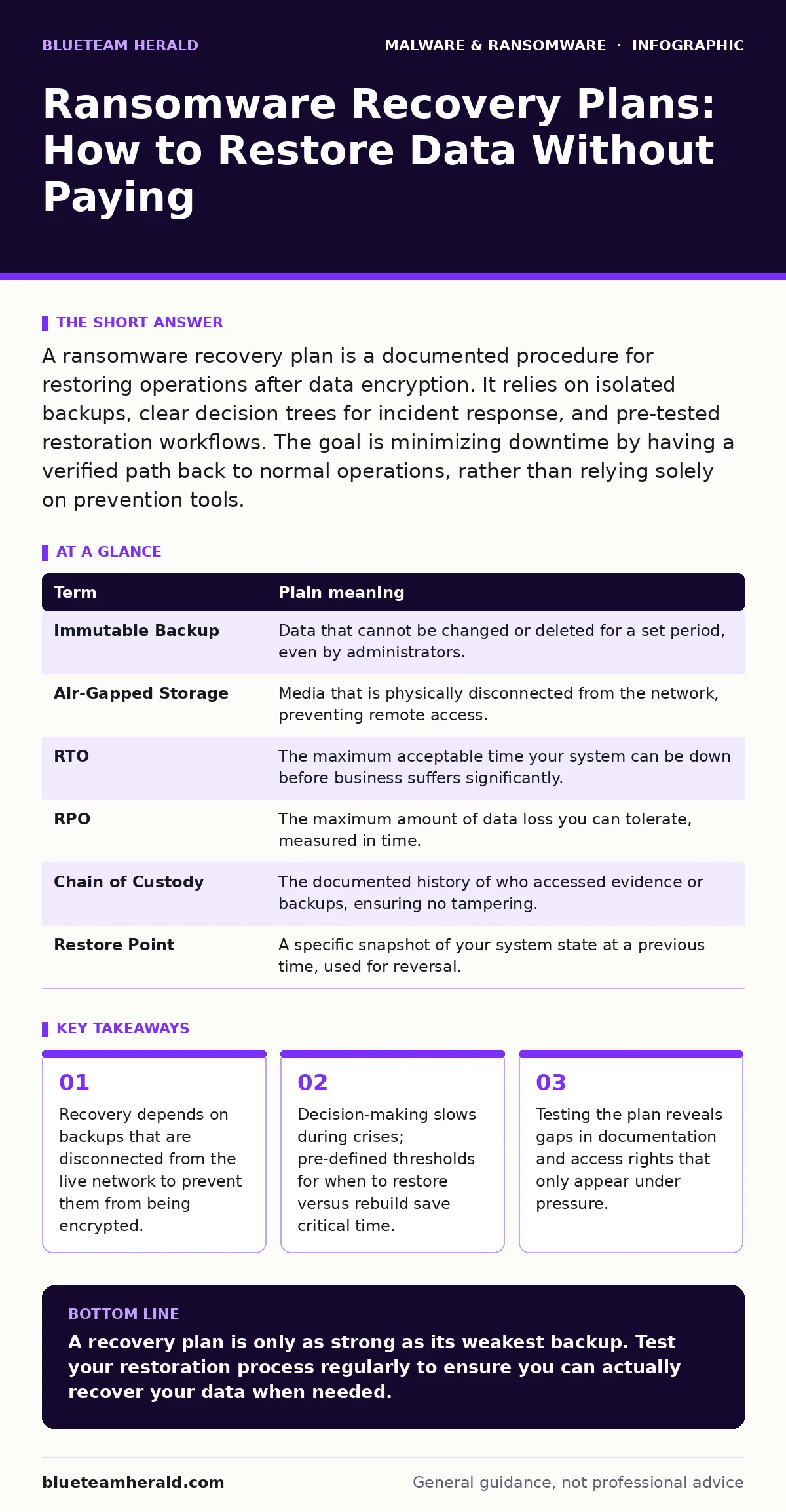
A ransomware recovery plan is a documented procedure for restoring operations after data encryption. It relies on isolated backups, clear decision trees for incident response, and pre-tested restoration workflows. The goal is minimizing downtime by having a verified path back to normal operations, rather than relying solely on prevention tools.
The Library Analogy for Data Security
Imagine your organization is a grand library. The books are your data, and the readers are your users. Ransomware acts like a vandals who break in and glue the pages of every book shut. Prevention is like hiring guards and installing locks. But a recovery plan is the blueprint for rebuilding the library from scratch using copies stored in a separate, fireproof vault miles away.
If you only focus on the guards, you assume they will never fail. If the guards fail, you have no plan for how to get the books back. The vault is useless if you do not know which books to pull first or if the vault itself has been compromised. This analogy frames the entire recovery process: protection is the first line, but restoration is the survival mechanism.
Core Terminology for Recovery
You need a shared vocabulary to discuss recovery effectively. These terms define the boundaries of what you can save and how you save it.
| Term | Plain meaning |
|---|---|
| Immutable Backup | Data that cannot be changed or deleted for a set period, even by administrators. |
| Air-Gapped Storage | Media that is physically disconnected from the network, preventing remote access. |
| RTO | The maximum acceptable time your system can be down before business suffers significantly. |
| RPO | The maximum amount of data loss you can tolerate, measured in time. |
| Chain of Custody | The documented history of who accessed evidence or backups, ensuring no tampering. |
| Restore Point | A specific snapshot of your system state at a previous time, used for reversal. |
The Hidden Cost of Speed
Many organizations prioritize speed in their RTO definitions. They want systems back online in hours. This creates a hidden cost: rushed restorations often bring back hidden malware. If you restore from a backup that was taken while spyware was already present in the system, you reinfect the network.
Speed is not the primary goal. Integrity is. You must verify that the backup source is clean before you pull the plug. This verification step adds time but prevents a second breach. Understanding this trade-off is vital for setting realistic expectations with leadership.
Step One: Isolate the Backup Source
The first practical step in any recovery plan is ensuring your backups are not connected to the live network. If your backup server is on the same network as your file servers, ransomware will find it. Modern ransomware scans for network shares and encrypts everything it touches.
You need air-gapped storage or immutable backups. Immutable backups use software locks that prevent deletion or modification for a set duration. Even if an attacker gains administrative rights, they cannot erase these files. This is the single most effective control against data loss. Without this, your recovery plan is just a theory.
Decision Trees for Restoration
When an attack happens, you cannot debate what to do. You need a decision tree. This is a simple flowchart that tells you exactly what to do based on the scope of the infection. For example, if only one workstation is affected, you isolate it and restore from a recent backup. If the domain controller is encrypted, you must rebuild the entire identity infrastructure.
This reduces cognitive load. Under stress, humans make poor decisions. A pre-written document removes the need for consensus. It also ensures that legal and compliance requirements are met. You document every action taken, creating a chain of custody for the incident.
See also: DNS Rebinding Response: Containment, Recovery and Prevention Steps · Ivanti VPN Warning Signs: Detecting Silent Exploitation
Testing the Restoration Process
A backup is not a recovery plan. You must test the process. Schedule a quarterly drill where you restore a critical system from backup. This reveals issues like missing software licenses, changed passwords, or corrupted backup files.
Many organizations discover that their RPO is too aggressive. They thought they could recover an hour of data, but their backup frequency was only daily. Testing exposes these gaps. It also trains your team on the specific commands and interfaces they will use during a real incident.
Integrating Detection and Response
Your recovery plan does not exist in a vacuum. It connects to your detection capabilities. Extended detection and response (XDR) platforms can alert you to unusual behavior, such as mass file renaming. This gives you time to isolate systems before the encryption completes.
However, detection is not prevention. Heuristic detection looks for suspicious behavior rather than known patterns. This helps catch new variants of malware. But if the attacker bypasses detection, your recovery plan is the only thing standing between you and total loss. Do not rely on malware signatures alone, as they only catch known threats.
The Role of Dynamic Analysis
Before you restore data, you should analyze any suspicious files that triggered the alert. Dynamic malware analysis runs the file in a sandbox to see what it does. This confirms whether it is ransomware or a false positive.
This step prevents unnecessary downtime. If you restore systems for a false alarm, you waste resources. If you ignore a real threat, you lose data. Balance is key. Use behavior-based detection to identify threats that do not match known signatures. This layered approach ensures you respond to the right threats with the right intensity.
Key takeaways
- Recovery depends on backups that are disconnected from the live network to prevent them from being encrypted.
- Decision-making slows during crises; pre-defined thresholds for when to restore versus rebuild save critical time.
- Testing the plan reveals gaps in documentation and access rights that only appear under pressure.
A recovery plan is only as strong as its weakest backup. Test your restoration process regularly to ensure you can actually recover your data when needed.
Frequently asked questions
How often should I test my ransomware recovery plan?
Test at least quarterly. Systems change frequently, so what worked six months ago may fail today due to software updates or configuration drift.
Do I need separate backups for email and file servers?
Yes. Each system has different restore requirements and dependencies. Treating them as separate recovery units simplifies the process and reduces error rates.
Can I use the same backup for disaster recovery and ransomware recovery?
You can, but the procedures differ. Disaster recovery focuses on infrastructure, while ransomware recovery focuses on data integrity and removing malicious artifacts.
What if my backups are encrypted too?
If your backups are on the same network and lack immutability, they are likely compromised. You must rebuild from scratch or pay the ransom, which is not recommended.
How this guide was produced: written by the BlueTeam Herald editorial team with AI assistance, checked against the public references listed below, and reviewed when the facts change. See our editorial policy or report an error.