Ivanti VPN Warning Signs: Detecting Silent Exploitation
Network anomalies and certificate irregularities often precede user-facing symptoms, revealing compromise before data exfiltration occurs.

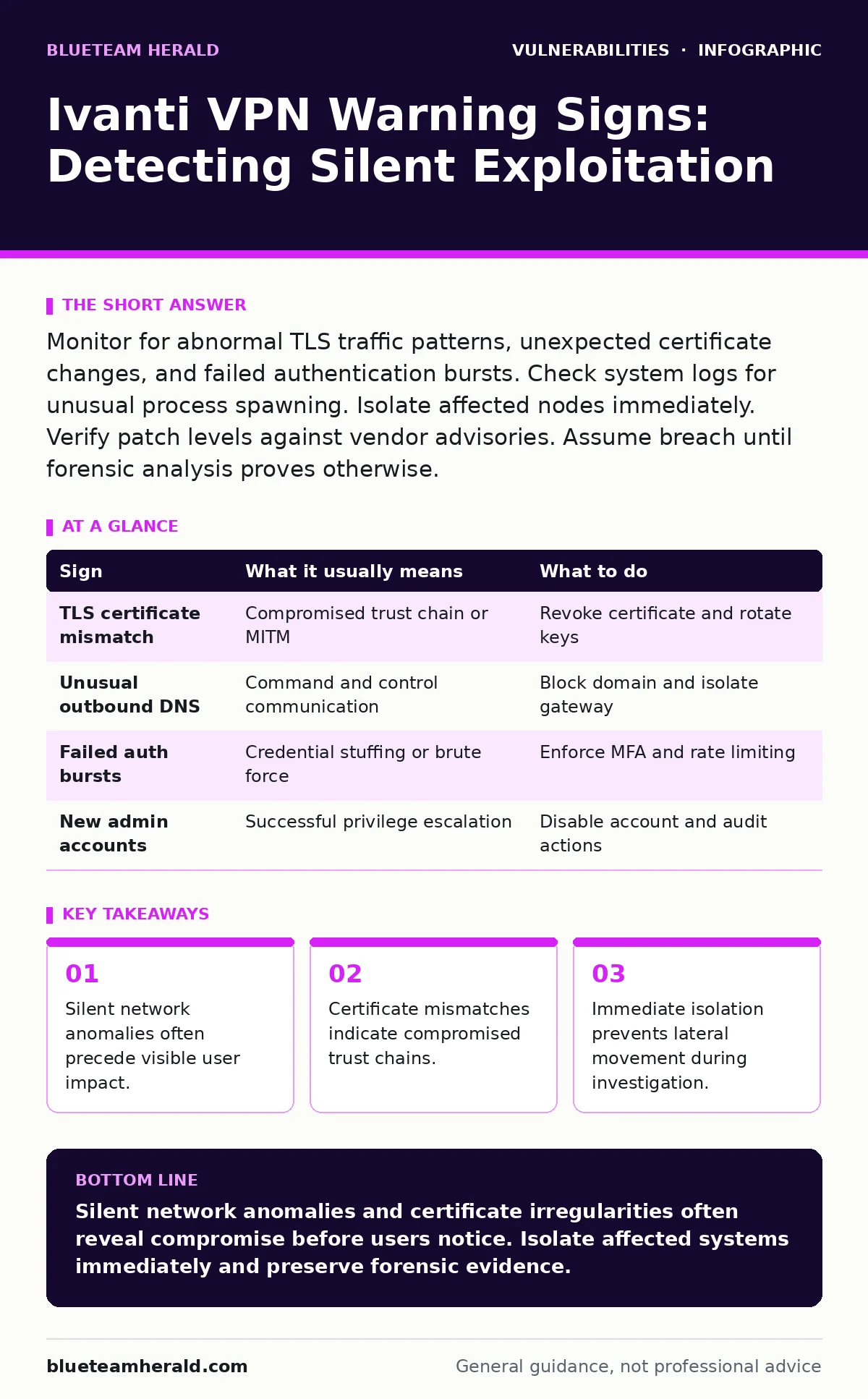
Monitor for abnormal TLS traffic patterns, unexpected certificate changes, and failed authentication bursts. Check system logs for unusual process spawning. Isolate affected nodes immediately. Verify patch levels against vendor advisories. Assume breach until forensic analysis proves otherwise.
Initial User-Facing Indicators
Users often report connection failures or unusual login prompts first. These symptoms suggest the VPN gateway is rejecting valid credentials or presenting forged authentication pages. A sudden increase in "session expired" messages indicates the server is terminating connections prematurely. This behavior differs from standard timeout settings. Users may also notice slower load times for internal resources. Latency spikes can result from the gateway processing malicious payloads alongside legitimate traffic. Do not dismiss these complaints as network congestion. They signal that the underlying infrastructure is under stress.
Hidden Network Anomalies
Network traffic analysis reveals signs that users cannot see. Unusual outbound connections from the VPN gateway to external IPs are a major red flag. The gateway should only initiate connections for management or updates. Any other traffic suggests command and control communication. Look for DNS queries to new domains. Attackers often use domain generation algorithms to avoid detection. These queries appear as random strings. Monitoring tools must flag deviations from baseline DNS patterns. Standard firewalls may allow this traffic if it uses allowed ports.
Certificate and Trust Irregularities
Ivanti solutions rely heavily on certificate-based authentication. A mismatched certificate serial number or issuer indicates tampering. Check the certificate transparency logs for unexpected issuances. If the gateway presents a self-signed certificate that users have not previously accepted, stop. This suggests an attacker has replaced the legitimate certificate. Trust chain validation errors in browser consoles are critical. These errors occur when the intermediate certificate does not match the root. Verify the certificate fingerprint against known good values.
System Log Discrepancies
System logs contain evidence of exploitation attempts. Look for repeated failed authentication attempts from single IP addresses. This pattern indicates brute-force attacks or credential stuffing. Successful logins followed immediately by privilege escalation attempts are worse. The attacker is trying to gain administrative access. Check for new user accounts created outside of standard procedures. Audit logs should show every account change. Missing log entries suggest the attacker has tampered with the logging mechanism.
| Sign | What it usually means | What to do |
|---|---|---|
| TLS certificate mismatch | Compromised trust chain or MITM | Revoke certificate and rotate keys |
| Unusual outbound DNS | Command and control communication | Block domain and isolate gateway |
| Failed auth bursts | Credential stuffing or brute force | Enforce MFA and rate limiting |
| New admin accounts | Successful privilege escalation | Disable account and audit actions |
Process and Memory Artifacts
Malware often resides in memory to avoid disk detection. Unusual processes running under the system account are suspicious. Check for processes with high CPU usage that do not match known services. Memory dumps can reveal injected code. This technique bypasses traditional antivirus signatures. The malware may disguise itself as a legitimate system process. Verify the digital signature of every running process. Unsigned executables running on a gateway are unacceptable.
See also: GraphQL Incident Response: Containment, Recovery, and Prevention Steps · DNS Rebinding Response: Containment, Recovery and Prevention Steps
Impact of Command Injection Flaws
Ivanti vulnerabilities often involve command injection. This allows attackers to run arbitrary commands on the host. The result is full system compromise. Attackers can install backdoors, steal credentials, or pivot to other systems. The initial access vector is often an unpatched software component. Understanding command injection helps you recognize the severity. It is not just a data leak. It is a foothold for deeper intrusion.
Immediate Response Actions
When you detect a sign, act quickly. Isolate the affected gateway from the network. This prevents lateral movement. Preserve logs and memory dumps for forensics. Do not reboot the system immediately. Rebooting clears volatile memory evidence. Contact your incident response team. Engage external experts if internal resources are insufficient. Review your vulnerability management programs to ensure patches are applied. Unpatched systems remain vulnerable to known exploits.
Long-Term Mitigation Strategies
Prevention requires a layered approach. Implement strict input validation on all interfaces. This reduces the risk of injection attacks. Use network segmentation to limit access to the gateway. Only authorized management stations should connect. Regularly audit configurations against security baselines. Monitor for zero-day vulnerabilities through threat intelligence feeds. Assume that new exploits will emerge. Prepare for them by having an incident response plan. Test the plan regularly.
Understanding Authentication Bypass Risks
Some vulnerabilities allow authentication bypass vulnerabilities. Attackers gain access without valid credentials. This renders traditional security controls ineffective. Multi-factor authentication helps but does not stop all bypasses. If the gateway itself is compromised, MFA is irrelevant. Focus on protecting the gateway infrastructure. Use hardware security modules for key storage. This adds a physical barrier to compromise.
Conclusion of Detection Efforts
Detecting Ivanti VPN vulnerabilities requires vigilance. You must look beyond user complaints. Analyze network traffic, certificates, and system logs. Understand the mechanics of attack vectors in CVSS to prioritize risks. High-severity scores indicate easier exploitation. Address these first. Remember that Windows privilege escalation vulnerabilities may follow initial access. Secure the host OS as well as the application. Continuous monitoring is the only defense.
Key takeaways
- Silent network anomalies often precede visible user impact.
- Certificate mismatches indicate compromised trust chains.
- Immediate isolation prevents lateral movement during investigation.
Silent network anomalies and certificate irregularities often reveal compromise before users notice. Isolate affected systems immediately and preserve forensic evidence.
Frequently asked questions
How do I know if my Ivanti VPN is compromised?
Check for unusual outbound traffic, certificate mismatches, and unexpected admin accounts.
What is the first step when you suspect a breach?
Isolate the affected system from the network to prevent lateral movement.
Can firewalls detect Ivanti VPN exploits?
No, standard firewalls cannot inspect encrypted traffic or internal exploits effectively.
How often should I audit VPN configurations?
Audit configurations regularly and after every change to ensure compliance.
How this guide was produced: written by the BlueTeam Herald editorial team with AI assistance, checked against the public references listed below, and reviewed when the facts change. See our editorial policy or report an error.