How Network Traffic Analysis Works: Mechanics and Limits
Network traffic analysis reveals hidden threats by examining packet headers and flow metadata, exposing attacks that bypass traditional endpoint security controls.

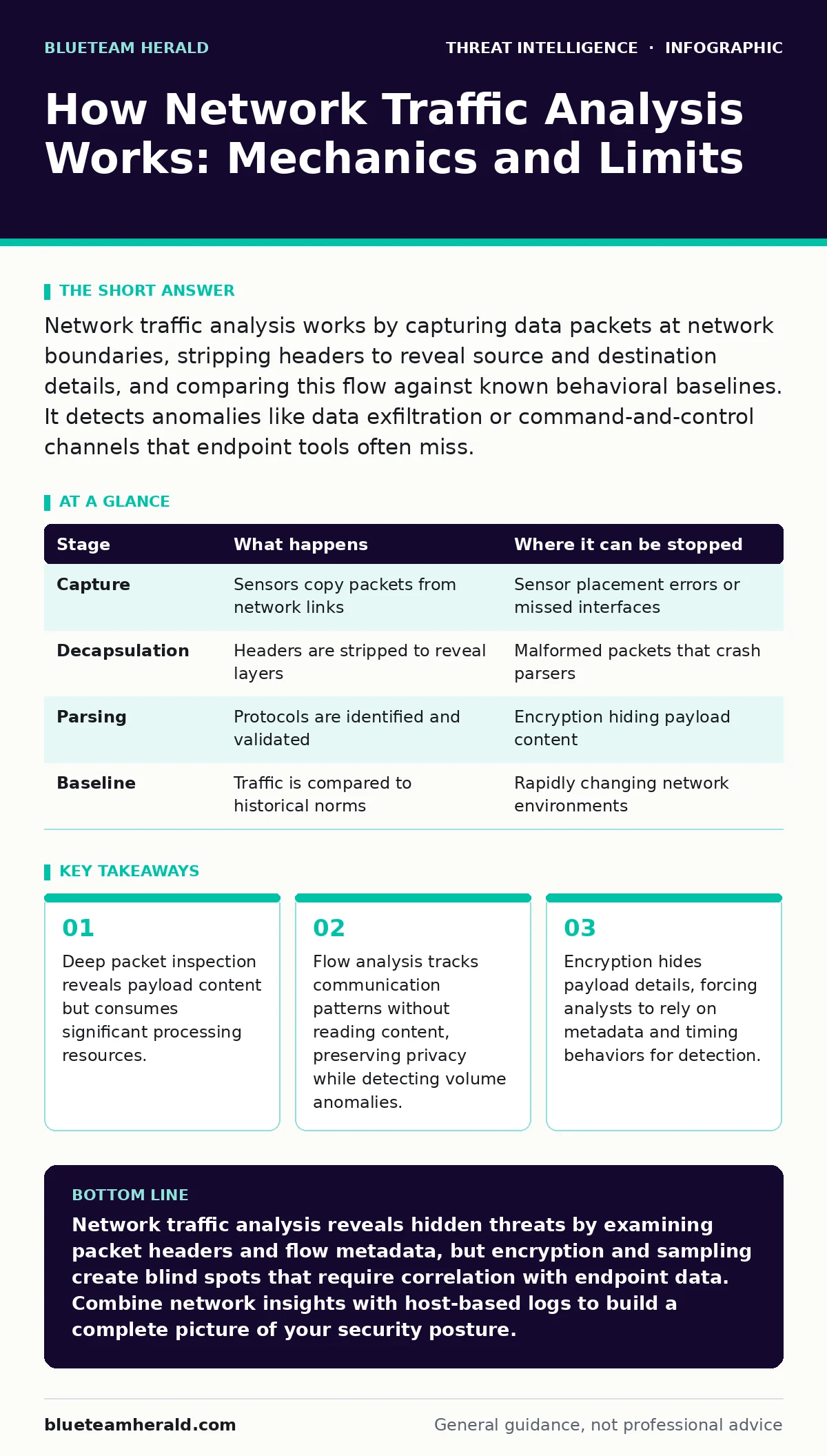
Network traffic analysis works by capturing data packets at network boundaries, stripping headers to reveal source and destination details, and comparing this flow against known behavioral baselines. It detects anomalies like data exfiltration or command-and-control channels that endpoint tools often miss.
The Capture Phase
Network traffic analysis begins with visibility. You cannot analyze what you cannot see. The first step involves placing sensors at strategic points within the network infrastructure. These sensors copy network packets as they pass through switches or routers. This process is known as port mirroring or network TAPs. A network TAP is a hardware device that splits the signal, sending one copy to the destination and another to the analysis tool.
Imagine a busy highway where every car passes through a toll booth. The toll booth records the license plate, direction, and time of passage. It does not look inside the car. This is how basic flow collection works. The sensor records the five-tuple: source IP, destination IP, source port, destination port, and protocol. This metadata provides a skeleton of the communication.
The Decapsulation Process
Once captured, the data must be interpreted. Raw network traffic consists of layered protocols. Each layer adds its own header. The analysis engine strips these headers away in reverse order, a process called decapsulation. It starts with the physical layer frame, then the network layer packet, then the transport layer segment. Finally, it reaches the application layer data.
This step-by-step removal reveals the structure of the communication. For instance, an IPv4 header contains the time-to-live field and the identification field. Anomalies here can indicate fragmentation attacks or spoofing. The engine rebuilds the original message or stream from these fragments. If packets arrive out of order, the engine reassembles them based on sequence numbers. This reconstruction is vital for understanding the full context of a session.
Without proper decapsulation, you only see noise. The engine must understand the protocol stack to separate signal from static. It distinguishes between control packets, like TCP handshakes, and data packets carrying actual information. This separation allows the system to categorize traffic quickly.
Protocol Identification and Parsing
After decapsulation, the system identifies the specific application protocol. It examines the payload structure to determine if the traffic is HTTP, DNS, SMTP, or something else. This is not always straightforward. Many protocols share similar structures or use non-standard ports. The parser looks for specific signatures or patterns within the first few bytes of the payload.
Consider DNS traffic. A standard DNS query has a specific format. If the payload contains unusually large text strings or high entropy, it might not be a standard query. This is where detection of DNS tunneling becomes relevant. Attackers encode data within DNS queries to bypass firewalls. The parser must recognize that the traffic looks like DNS but behaves abnormally.
The parser also handles encryption. If the traffic is TLS, the parser stops at the handshake phase. It cannot read the encrypted payload without the private keys. This creates a blind spot. The system must rely on certificate transparency logs or JA3 fingerprints. A JA3 fingerprint is a hash of the TLS client hello parameters. It identifies the software stack making the connection, even if the content is encrypted.
Baseline Comparison and Anomaly Detection
Detection relies on knowing what normal looks like. The system builds a baseline of typical network behavior. It tracks average bandwidth usage, common destinations, and standard protocols for each host. This baseline is dynamic. It adjusts as the network changes. New applications are added, and traffic patterns shift.
When new traffic arrives, the system compares it against this baseline. If a host suddenly sends a large volume of data to an unknown external IP, it triggers an alert. This is statistical anomaly detection. It does not know if the traffic is malicious. It only knows it is different. The difference might be a backup job running late. Or it might be data exfiltration.
This stage highlights a key limitation. False positives are common. Legitimate software updates can look like malware downloads. The system flags deviations, but humans must interpret them. This is why alert triage is a separate, critical skill. Analysts must distinguish between benign noise and genuine threats.
| Stage | What happens | Where it can be stopped |
|---|---|---|
| Capture | Sensors copy packets from network links | Sensor placement errors or missed interfaces |
| Decapsulation | Headers are stripped to reveal layers | Malformed packets that crash parsers |
| Parsing | Protocols are identified and validated | Encryption hiding payload content |
| Baseline | Traffic is compared to historical norms | Rapidly changing network environments |
Limitations and Blind Spots
Network traffic analysis has inherent limits. Encryption is the biggest hurdle. As more traffic moves to HTTPS and other encrypted protocols, visibility into payload content shrinks. You can see who is talking to whom, but not what they are saying. This forces analysts to rely on metadata. Metadata can be manipulated. Attackers can mimic normal traffic patterns to avoid detection.
Another limitation is bandwidth. Analyzing every packet in real-time requires immense processing power. Many systems sample traffic, capturing only a fraction of packets. This sampling can miss low-and-slow attacks. These attacks send small amounts of data over long periods. They blend in with normal background noise.
Furthermore, network analysis cannot detect attacks that do not generate network traffic. Local privilege escalation or lateral movement within a segmented network may leave no external trace. The attacker might use DCSync attacks to replicate directory data without leaving obvious network signatures. These attacks exploit protocol flaws that look legitimate to network sensors.
See also: 7 PowerShell Mistakes That Leave Your Network Exposed · False Positives Rate: How to Lower Noise Without Missing Threats
Integration with Other Signals
To overcome these limits, network data must be combined with other sources. This is the principle of defense in depth. Network analysis provides context for endpoint alerts. If an endpoint detects a malicious process, network data shows where it is communicating. This correlation reduces noise and improves accuracy.
Consider domain generation algorithms. Malware uses these to create random domain names for command-and-control servers. Network analysis can detect the high volume of failed DNS lookups to non-existent domains. Endpoint logs can show the malware process initiating these lookups. Together, they provide a complete picture.
This integration also helps with mean time to detect. By correlating signals, you can identify threats faster. A single alert might be ignored. Multiple correlated alerts from different sources demand attention. This holistic approach is necessary in modern environments.
Practical Application
Understanding these mechanics helps you design better monitoring. Place sensors at network boundaries and between security zones. Ensure you capture both ingress and egress traffic. Use flow data for high-level visibility and deep packet inspection for detailed analysis of suspicious flows.
Remember that encryption changes the game. Focus on metadata analysis for encrypted traffic. Look for unusual certificate usage or JA3 mismatches. Combine network insights with endpoint data. This layered approach provides the best chance of detecting sophisticated threats.
Final Considerations
Network traffic analysis is a powerful tool, but it is not a silver bullet. It provides visibility into communication patterns and content. It reveals threats that hide from endpoint controls. However, it has limits. Encryption, sampling, and local attacks create blind spots.
You must understand these limits to use the tool effectively. Combine network data with other sources. Continuously update your baselines. Train analysts to interpret alerts correctly. This disciplined approach ensures you get the most value from your network visibility investments.
Key takeaways
- Deep packet inspection reveals payload content but consumes significant processing resources.
- Flow analysis tracks communication patterns without reading content, preserving privacy while detecting volume anomalies.
- Encryption hides payload details, forcing analysts to rely on metadata and timing behaviors for detection.
Network traffic analysis reveals hidden threats by examining packet headers and flow metadata, but encryption and sampling create blind spots that require correlation with endpoint data. Combine network insights with host-based logs to build a complete picture of your security posture.
Frequently asked questions
Can network traffic analysis read encrypted emails?
No, it cannot read the content of encrypted traffic without the decryption keys. It can only see metadata like who is communicating and when.
Is network traffic analysis enough to stop ransomware?
No, it can detect the initial infection or command-and-control communication, but it cannot stop the encryption of files on the endpoint. You need endpoint protection for that.
How does it detect DNS tunneling?
It looks for anomalies in DNS traffic, such as unusually long domain names or high query volumes to a single domain, which indicate data being hidden in DNS requests.
What is the difference between flow analysis and packet capture?
Flow analysis records summary data about connections, while packet capture records the full content of every packet. Packet capture uses more storage and processing power.
How this guide was produced: written by the BlueTeam Herald editorial team with AI assistance, checked against the public references listed below, and reviewed when the facts change. See our editorial policy or report an error.