Alert Triage: Benefits, Limits, and When to Stop
Alert triage reduces noise but creates a hidden bottleneck that slows response to subtle threats like DNS tunneling or living-off-the-land attacks.

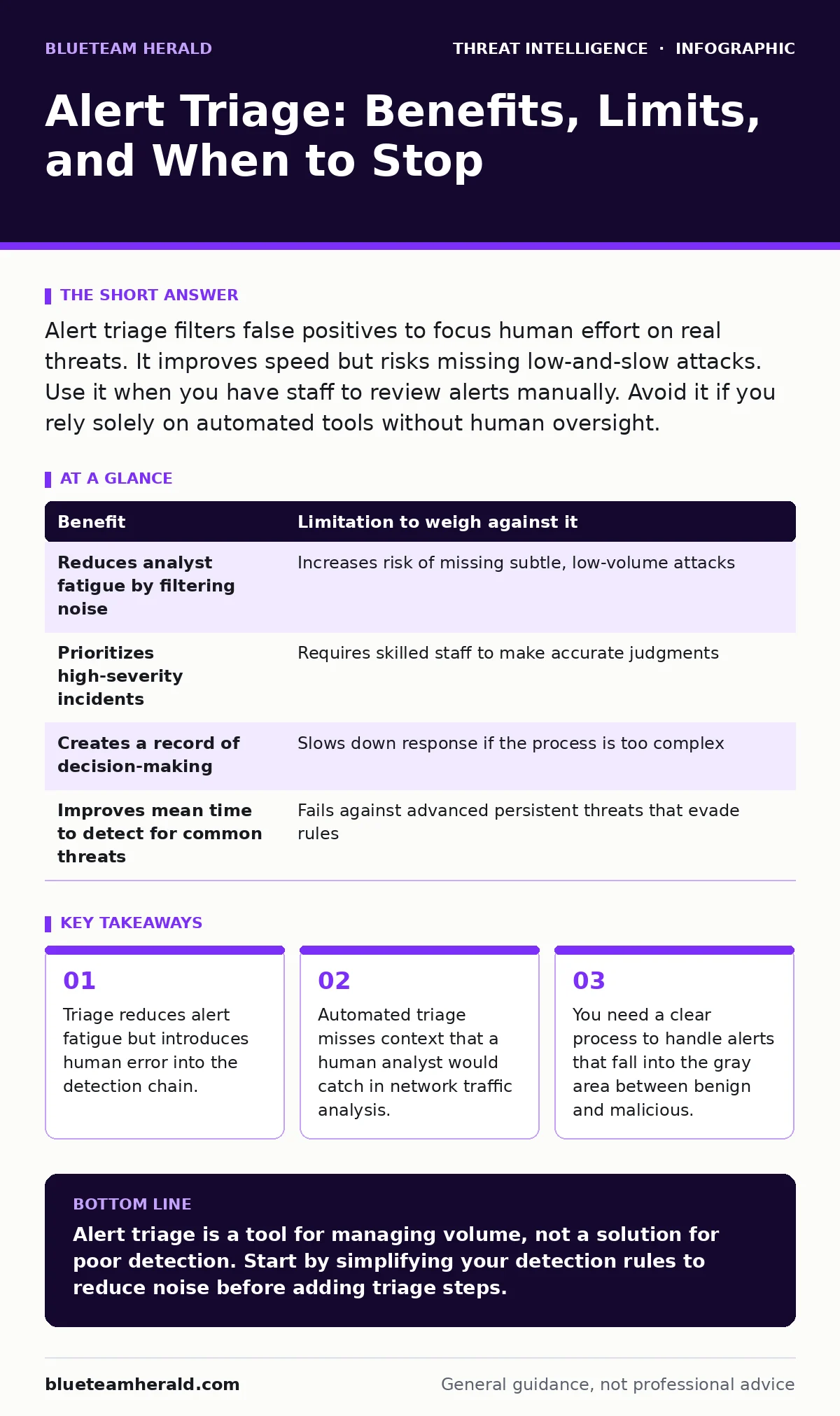
Alert triage filters false positives to focus human effort on real threats. It improves speed but risks missing low-and-slow attacks. Use it when you have staff to review alerts manually. Avoid it if you rely solely on automated tools without human oversight.
The Mechanics of Sorting Noise
Alert triage is the process of reviewing security alerts to determine which ones require immediate action. Security tools generate thousands of signals daily. Most of these signals are false positives, which are alerts triggered by normal activity that looks suspicious. Triage separates the signal from the noise. You categorize each alert as true positive, false positive, or benign finding. This step determines whether an incident response team opens a case.
The primary goal is efficiency. You cannot investigate every alert. By filtering out the obvious false alarms, you save time for the threats that matter. However, this process assumes you have the resources to review each alert. If you do not, the backlog grows. The alerts pile up until the system becomes useless.
The Hidden Cost of Speed
Many teams view triage as a way to speed up detection. This is true for obvious attacks. It is less true for subtle threats. When you rush through triage, you make quick decisions. Quick decisions rely on heuristics, which are rules of thumb. Heuristics work for common patterns. They fail for novel techniques.
Imagine a threat actor using living-off-the-land attacks. These attacks use legitimate system tools to hide malicious activity. The tools are already trusted by the system. The alerts they generate look like normal administrative tasks. A hurried triage process might dismiss these as benign. You lose the chance to detect the breach early. The speed you gained in triage is lost in the prolonged detection time.
Balancing Benefits and Limitations
Every benefit of alert triage comes with a trade-off. Understanding these trade-offs helps you design a better process. The table below outlines the main benefits and the limitations you must weigh against them.
| Benefit | Limitation to weigh against it |
|---|---|
| Reduces analyst fatigue by filtering noise | Increases risk of missing subtle, low-volume attacks |
| Prioritizes high-severity incidents | Requires skilled staff to make accurate judgments |
| Creates a record of decision-making | Slows down response if the process is too complex |
| Improves mean time to detect for common threats | Fails against advanced persistent threats that evade rules |
When Human Judgment Fails
Triage depends on human judgment. Humans are prone to bias and fatigue. After reviewing hundreds of similar alerts, an analyst may develop tunnel vision. They start seeing what they expect to see. This is known as alert fatigue. The analyst stops looking closely at each alert. They click through them quickly.
This is dangerous for attacks that mimic normal behavior. For example, DCSync attacks involve replicating directory data. If the attacker uses a legitimate service account, the activity looks normal. An analyst tired from reviewing false positives might miss the unusual replication volume. The alert gets marked as benign. The attacker continues to harvest credentials. The triage process, intended to protect you, actually hides the threat.
When It Is Worth It
Alert triage is worth the effort when you have clear indicators of compromise. These are specific signs that a system is compromised. For example, if a tool detects a known malware signature, the alert is likely true. Triage confirms the context. It checks if the malware is in a sandbox or a production server. This distinction changes the response.
It is also worth it when you have specialized knowledge. Some alerts require understanding of specific protocols. For instance, DNS tunneling hides data inside DNS queries. Detecting this requires knowledge of normal DNS traffic patterns. A generalist might miss it. A specialist can triage these alerts effectively. They can distinguish between a slow server response and data exfiltration.
See also: OSINT investigation cleanup: containment and recovery steps · GraphQL Incident Response: Containment, Recovery, and Prevention Steps
When It Is Not Worth It
Triage is not worth it when the volume exceeds your capacity. If you receive more alerts than your team can review in a day, you are failing. The backlog means old alerts are never investigated. Threats sit undetected for weeks. In this case, you need to improve your detection rules, not add more triage steps.
It is also not worth it for low-risk environments. If you have no sensitive data, the impact of a breach is low. Spending hours triaging alerts is a poor use of resources. Focus on prevention instead. Block known bad traffic at the perimeter. Reduce the number of alerts generated. This is more effective than trying to sort through them later.
Integrating with Broader Strategies
Triage does not happen in isolation. It is part of a larger security program. You must connect triage with other practices. For example, packet capture analysis provides the raw data behind an alert. When triaging a suspicious network alert, you examine the packets. This reveals the true nature of the traffic.
Similarly, Windows event log monitoring provides context for host-based alerts. If a process starts unexpectedly, the logs show what launched it. Triage uses this information to make a decision. Without this integration, triage is blind. You are making decisions based on incomplete data. This leads to errors.
The Role of Purple Teaming
Purple teaming combines red team attacks with blue team defense. It helps you test your triage process. Red teams generate realistic alerts. Blue teams triage them. This reveals gaps in your detection and triage. It shows which alerts are missed. It shows which are dismissed incorrectly.
By simulating attacks, you learn where your triage fails. You might find that your team misses certain types of network traffic analysis anomalies. You can then adjust your rules. You can train your analysts. This feedback loop improves your overall security posture. Triage becomes more accurate over time.
Key takeaways
- Triage reduces alert fatigue but introduces human error into the detection chain.
- Automated triage misses context that a human analyst would catch in network traffic analysis.
- You need a clear process to handle alerts that fall into the gray area between benign and malicious.
Alert triage is a tool for managing volume, not a solution for poor detection. Start by simplifying your detection rules to reduce noise before adding triage steps.
Frequently asked questions
How many analysts do I need for effective triage?
You need enough analysts to review all alerts within their useful lifespan. This depends on your alert volume and complexity.
Can automation replace human triage?
Automation can handle routine alerts, but humans are needed for context and novel threats. A hybrid approach works best.
What is the first step in improving triage?
Reduce the number of false positives by tuning your detection rules. This makes triage more effective.
How do I measure the success of triage?
Track the time from alert generation to decision. Also, measure the number of missed threats found later.
How this guide was produced: written by the BlueTeam Herald editorial team with AI assistance, checked against the public references listed below, and reviewed when the facts change. See our editorial policy or report an error.